Approval rules by amount
Send bigger bills, transactions and payments to a set person, and decide how many approvals they need.
Approval rules decide who approves a request based on how much it is. For example: anything from $1,000 goes to the owner, and anything from $5,000 needs a second approval as well.
Add a rule#
Click Settings in the menu, then the Approval rules tab.
Under Approval rules by amount, fill in Starting at with the amount the rule begins at.
In For, choose what the rule covers: Bills, transactions and payments, Bills, Transactions or Payments.
In Approved by, pick the admin who approves, or leave it on Any admin (or who they pick).
To need a second approval, tick Needs a second approval and choose who gives it in Second approval by (or leave it on Any other admin).
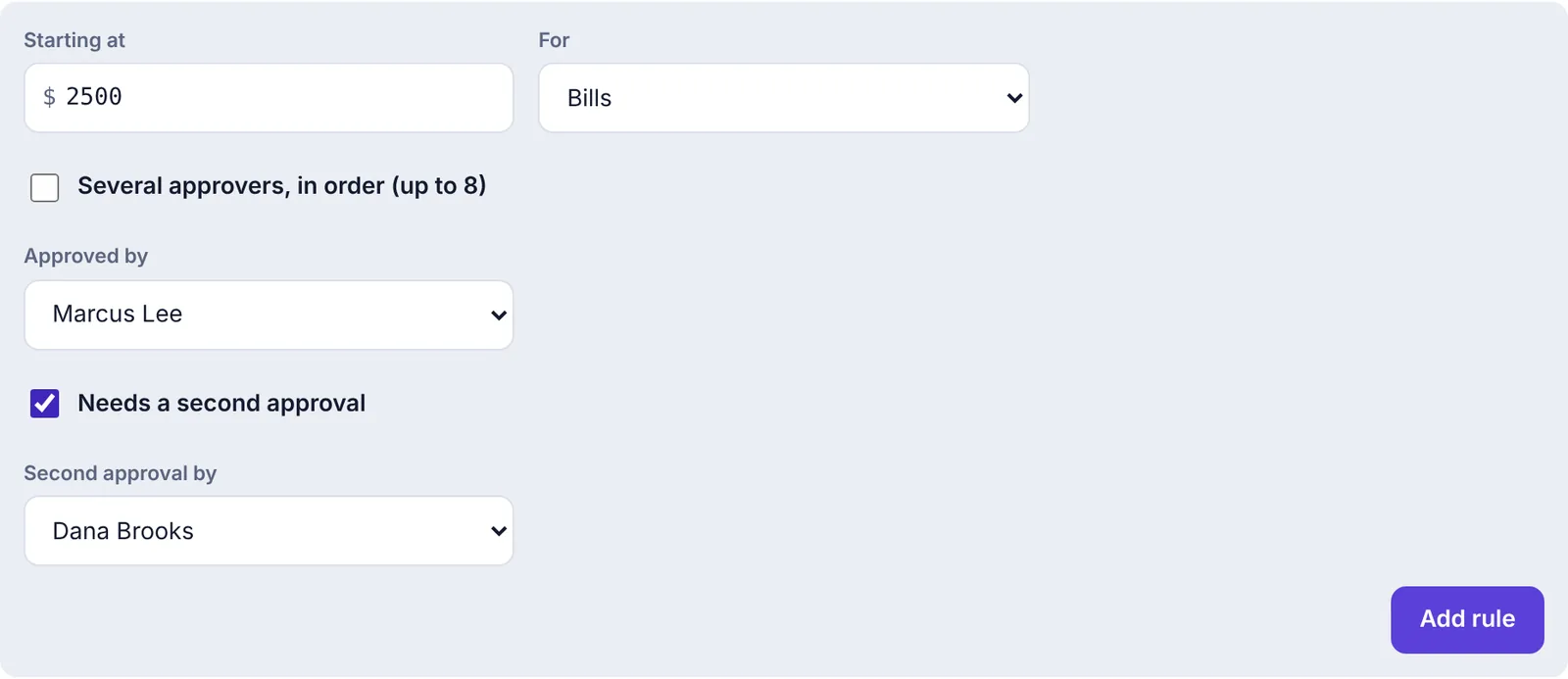
Adding a rule: bills from $2,500 are approved by Marcus Lee, then Dana Brooks Click Add rule.
You'll see Rule added. It applies to everything sent from now on. Requests that are already waiting keep the route they had.
How Plainstamp picks a rule#
Your rules are listed from the smallest starting amount to the largest.

Each rule says who approves. When you're one of the approvers, it says You approve, or You approve first, then … for a two-step rule. In this example Dana Brooks is the owner, so she sees herself as "you".
When someone sends a bill, a transaction or a payment, Plainstamp looks for rules that cover that kind of request and whose Starting at amount is at or below the request's amount. Of those, the one with the highest starting amount wins. Only one rule ever applies.
With the two rules above:
| Request | Rule used | Who approves |
|---|---|---|
| Bill for $300 | None | Whoever the sender picked |
| Bill for $1,850 | From $1,000 | Dana |
| Bill for $5,200 | From $5,000 | Marcus, then Dana |
What the rule does to the sender's choice:
If the rule names an approver, the request goes to that person, even if the sender picked someone else.
If the rule says Any admin (or who they pick), the sender's choice stands.
If the named approver is the person who sent the request, it goes to whoever the sender picked instead, since nobody can approve their own request.
What "For" (applies to) means#
| For | Covers |
|---|---|
| Bills, transactions and payments | All three |
| Bills | New bills, and changes to existing bills |
| Transactions | New transactions, and changes to existing transactions |
| Payments | Requests to pay a bill (or part of one) |
Rules don't apply to tasks or vendors, because they have no amount.
A few details that stop people slipping under a rule:
Changes are checked against the new amount.
Payments count the whole amount still owed on the bill, or the payment if it's bigger. Splitting a payment into small parts doesn't get it under a rule.
Other currencies are converted to your main currency using the exchange rate on the entry. A bill for €2,000 at 1.10 counts as $2,200. Entries in your main currency are never converted.
Remove a rule#
Click Remove next to the rule. It stops applying to anything sent from then on.
Who rules apply to#
Rules apply to every request that's sent, mostly from employees, since admins don't need approval. If an admin ticks Needs approval on something they add, the rules apply to that too.
Approval rules work alongside spending limits: anything inside an employee's monthly allowance is added without a request, so no rule is needed.