Change requests and payment requests
How employees ask to change a bill, transaction or vendor, pay a bill, or reconcile a transaction, and what the approver sees.
Employees can't change money records or vendors directly, and they can't mark bills paid on their own. Instead, Plainstamp turns these into requests for an admin to approve.
Ask to change a bill, transaction or vendor#
Open the bill, transaction or vendor (for example, click a bill on Bills to pay).
Click Request a change at the bottom.

The Request a change button on a bill Make your changes in the form.
Choose Who should approve? and click Send change for approval.
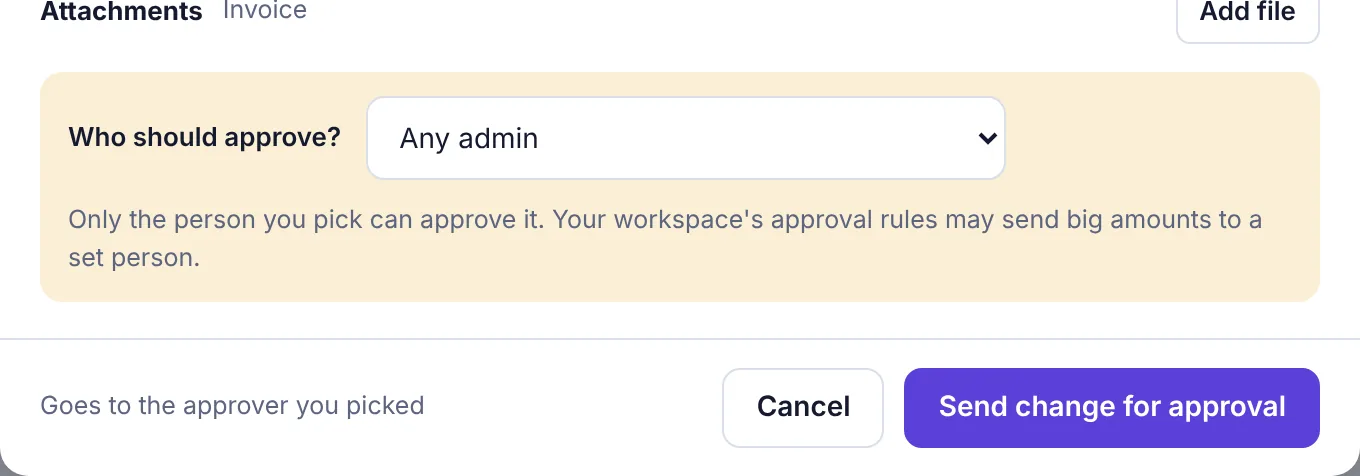
The bottom of the change form, with Send change for approval
You'll see Your change was sent to … for approval. The bill stays exactly as it was until the change is approved; then the new details are saved over it.
On the approvals page the request shows as Change, titled Change followed by the entry's name. Add a comment on the request if the approver needs to know what you changed and why. Approval rules use the new amount, so raising a bill above a rule's amount sends the change to that rule's approver.
Ask to pay a bill#
Open the bill and click Pay (or Record a payment if part of it is already paid).
Check Amount paid now. Enter less than the full amount to ask for a part payment.
Fill in Paid on, Method and Check # / confirmation, and add the receipt under Payment receipt if you have it.
Choose Who should approve? and click Submit for approval. If you have a spending limit, the button says Submit payment instead.
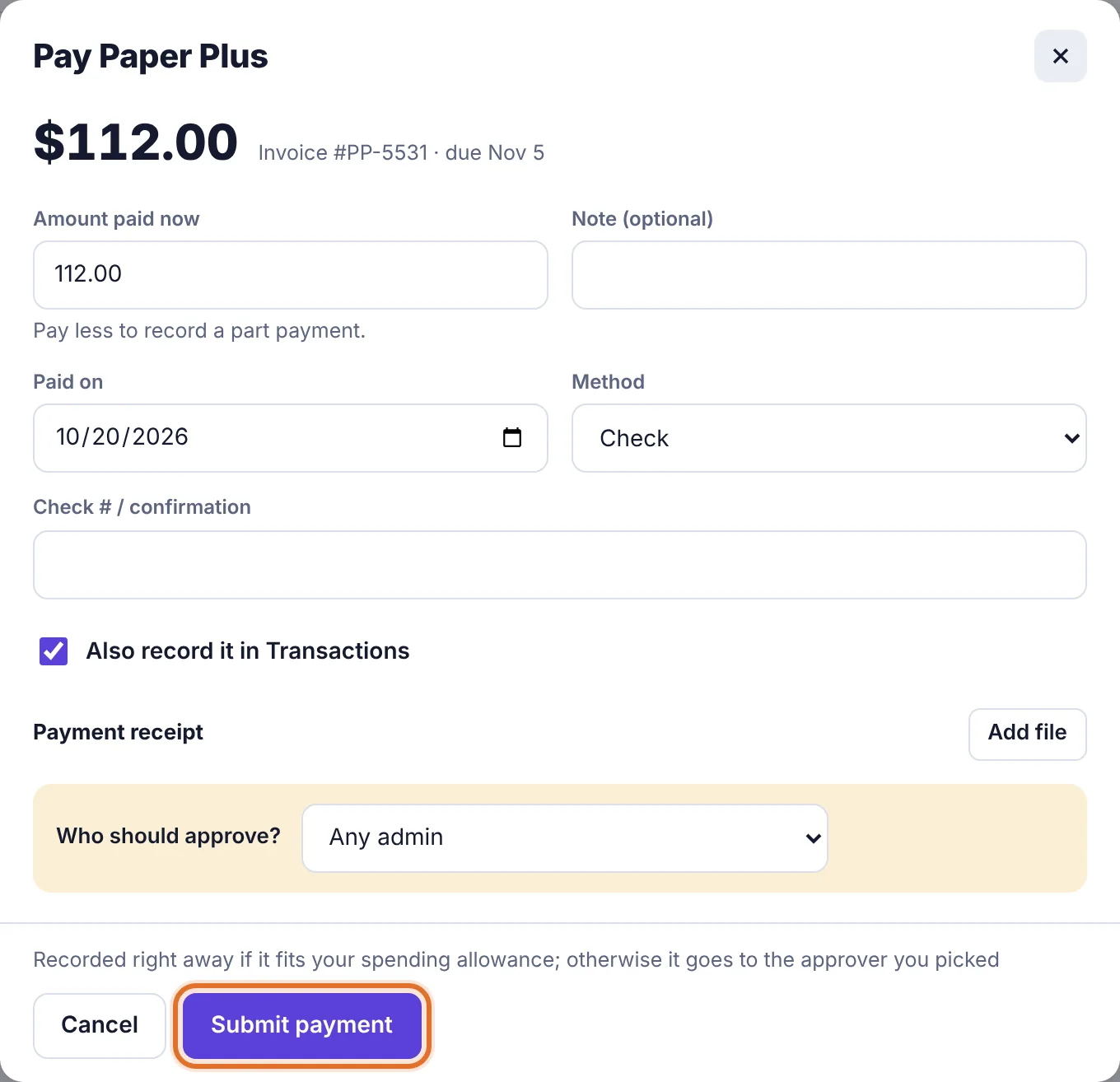
The Pay form for an employee with a spending limit: the button says Submit payment
You'll see Payment sent to … for approval. When it's approved, the payment is recorded on the bill as paid by you. If the bill was paid in full, it moves to Completed.
Good to know:
Only one payment request can wait on a bill at a time. A second one shows A payment for this bill is already waiting for approval.
If you have a spending limit and the payment fits in what's left this month, it's recorded straight away instead of being sent. The form says so: Recorded right away if it fits your spending allowance; otherwise it goes to the approver you picked.
Approval rules for payments count everything still owed on the bill, not just this part.
Ask to reconcile a transaction#
Open the transaction.
Click Ask to reconcile.
The request goes to any admin, or to your department's manager on the Business plan. You'll see who it went to, for example Sent to any admin to reconcile. When it's approved, the transaction moves to Completed. Only an admin can reopen a reconciled transaction.
What the approver sees#
| Request | Card shows | When approved |
|---|---|---|
| Change | A title like Change Paper Plus #PP-5531 and the new amount | The new details are saved to the entry |
| Payment | Title like Pay Paper Plus (…) or Part payment …, with Paying now, Paid on, Method and Add to transactions | The payment is recorded |
| Reconcile | A title like Reconcile Labels and markers | The transaction moves to Completed |
If the entry changed in the meantime so the request can't be applied (for example, the bill was deleted or already paid), approving shows a message saying why and nothing is changed.
Change, payment and reconcile requests can't be edited after they're sent. If something's wrong, Withdraw it and send a new one.