Stand-ins when someone is away
Pick another admin to approve while an approver is on vacation or out sick, and what to do with a request that's stuck.
When an approver is away, their requests shouldn't sit for a week. Set a stand-in: another admin who can approve in their place between two dates.
Set a stand-in#
Click My approvals in the menu.
Under the My approvals and All requests buttons, click Set a stand-in (in the line Going away, or covering for someone?).
In Who's away, choose yourself. The owner can choose any admin here.
In Approves for them, pick the admin who'll cover.
Set From and Until (and including). The dates start today or later and can run up to 4 months.
Click Save.
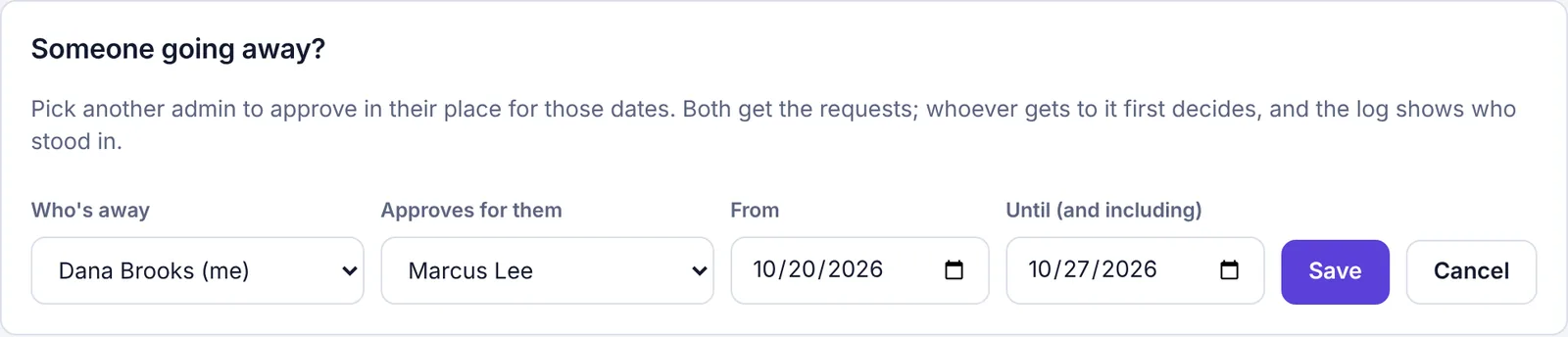
You'll see Saved. The stand-in can approve for those dates. The stand-in gets a notification, for example You're approving for Dana Brooks until Oct 27. If the owner set it for someone else, that person is told too.
What happens while someone is away#
Requests sent to the person who's away go to both of them. Whoever gets to it first decides.
The stand-in sees a banner, You're approving for … while they're away, and those requests appear under Sent to someone you're standing in for.
New request notifications and emails go to the stand-in as well.
The activity log records that the stand-in approved while the approver is away, so it's clear who decided.
Every admin sees a banner saying who's away and who's covering.
The person who's away can still approve anything themselves if they want to.
Come back early or cancel#
If you're the one who's away, click I'm back on the banner at the top of My approvals. You'll see Welcome back. Requests come to you again.
The owner can click Cancel on another admin's banner.
The stand-in ends by itself after the Until date.
When a request is already stuck#
If a request is waiting for an admin who's away and no stand-in was set:
The owner can click Take over on it at any time, or use Move to… to send it to someone else.
Any other admin sees Take over once it has waited 3 days since it was last sent or changed. Before that, the button is hidden.