How approvals work
Who needs approval for what, who the request goes to, and what happens once it's approved.
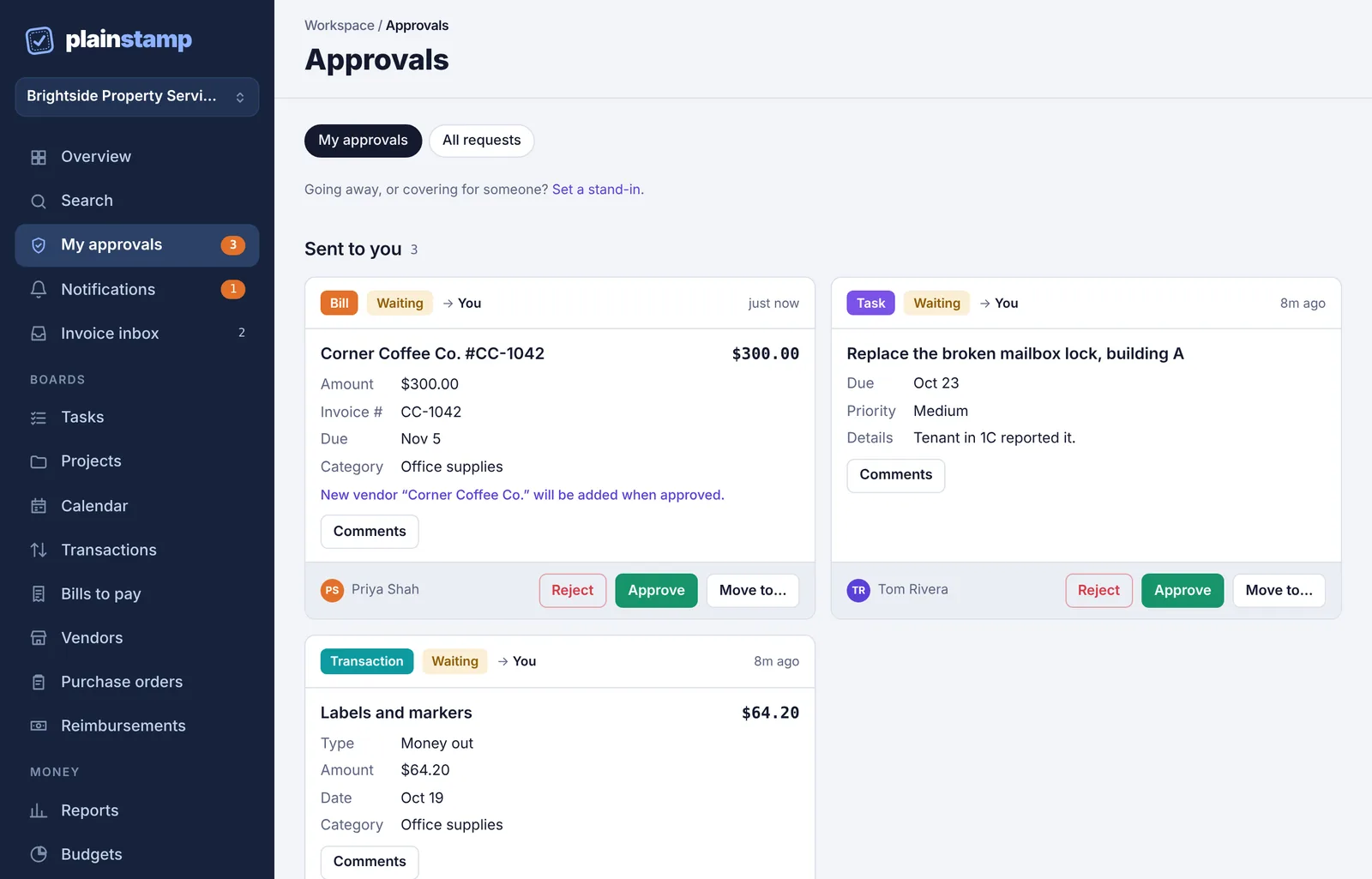
Plainstamp keeps money and work under control by asking for a second pair of eyes. When someone who isn't an admin adds a bill, a transaction, a vendor or a task, it doesn't go straight onto the board. It becomes a request that an admin approves or rejects. Nothing is added, paid or changed until it's approved.
Who needs approval for what#
It depends on your role in the workspace.
| Role | What needs approval |
|---|---|
| Owner and Admin | Nothing. What they add goes straight onto the board. They can still tick Needs approval to ask another admin to check something. |
| Employee | Everything they add: tasks, transactions, bills and vendors. Changes to bills, transactions and vendors, payments on bills and asking to reconcile a transaction also need approval. Employees can edit tasks without approval. |
| Worker ("assigned work only") | Every task they add. Workers can only add tasks. |
| Accountant and View only | They can't add entries, so they never send requests. |
There is one shortcut for employees: if an admin gives them a monthly spending limit, expenses, bills and payments that fit inside it are added right away. See Spending limits for employees.
Who the request goes to#
When you send something, you choose who should approve it in the Who should approve? box:
A person you pick. Only that admin (or someone standing in for them while they're away) can approve it.
Any admin. Every owner and admin sees it, and whoever gets to it first decides.
Your workspace can also have rules that decide for you:
Approval rules by amount send bigger bills, transactions and payments to a set person, or need two or more approvals. A rule overrides the person you picked. See Approval rules by amount.
Departments (Business plan): if you leave the box on Any admin and you belong to a department with a manager, the request goes to that manager.
What happens after approval#
As soon as the last approval is given, Plainstamp does the thing that was asked for:
| Request | What happens when it's approved |
|---|---|
| Task | It's added to Tasks. If it was for someone else, they're told they have a new task. |
| Transaction | It's added to Transactions. |
| Bill | It's added to Bills to pay. |
| Vendor | It's added to Vendors. |
| Payment | The payment is recorded on the bill. |
| Reconcile | The transaction moves to Completed. |
| Change | The change is saved to the bill, transaction or vendor. |
A few more things happen at the same time:
A bill or transaction for a vendor you don't have yet adds that vendor too. The request card warns about this: New vendor "…" will be added when approved.
Files attached to the request move to the new entry.
The entry's history shows who asked for it and who approved it, so you always know.
The person who sent it gets a notification (and an email, if they have emails on).
If a request is rejected, nothing is added. The person who sent it sees the reason and can change it and send it again.