Spending limits for employees
Give trusted employees a monthly allowance so small expenses, bills and payments are added without waiting for approval.
Waiting for approval on a $20 coffee order slows everyone down. A spending limit gives an employee a monthly allowance: anything that fits inside it goes straight onto the board, and anything bigger goes for approval as usual.
Set a limit#
Go to Settings, then the Approval rules tab.
Scroll to Spending limits. Every employee is listed.
Type the monthly amount next to the person.
Click Save on that row.
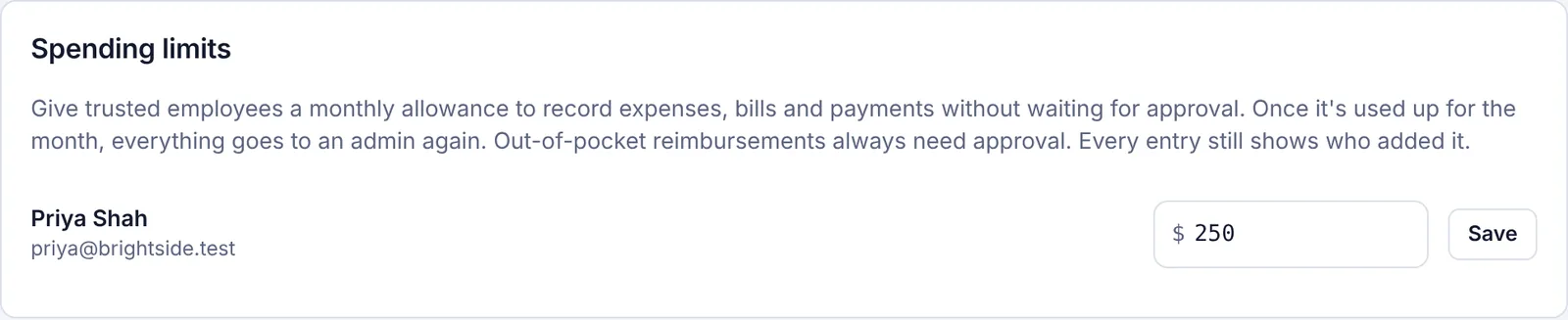
You'll see Saved. They can add up to $250.00 a month without approval. To take an allowance away, clear the box and click Save; everything they add then goes for approval.
The Team page also shows each employee's limit, or No spending limit.
What counts against the limit#
The allowance covers:
New money-out transactions (expenses).
New bills.
Payments on bills.
It doesn't cover:
Money in transactions (money coming into the business). They don't use up any of the allowance, and they always go for approval.
Tasks and vendors, which always need approval from an employee.
Changes to existing bills, transactions or vendors.
Out-of-pocket expenses ("I paid for this with my own money. Pay me back."), which always need approval.
Entries in another currency when Plainstamp can't check the exchange rate.
Requests that were rejected and sent again.
Amounts in other currencies count at their value in your main currency.
How it works month to month#
The allowance starts fresh on the 1st of each month.
Each entry has to fit completely in what's left. If Priya has $40 left and adds a $60 bill, the whole bill goes for approval; it isn't split.
Once the allowance is used up, everything goes for approval until next month.
What the employee sees#
When the amount fits, the bottom of the form says how much is left, and the button adds the entry directly instead of sending it for approval.

The entry is added right away with a message like Added to Bills to pay. It was within your spending limit. It still shows who added it, and the activity log notes Within their spending limit, so admins can always see what was added this way.
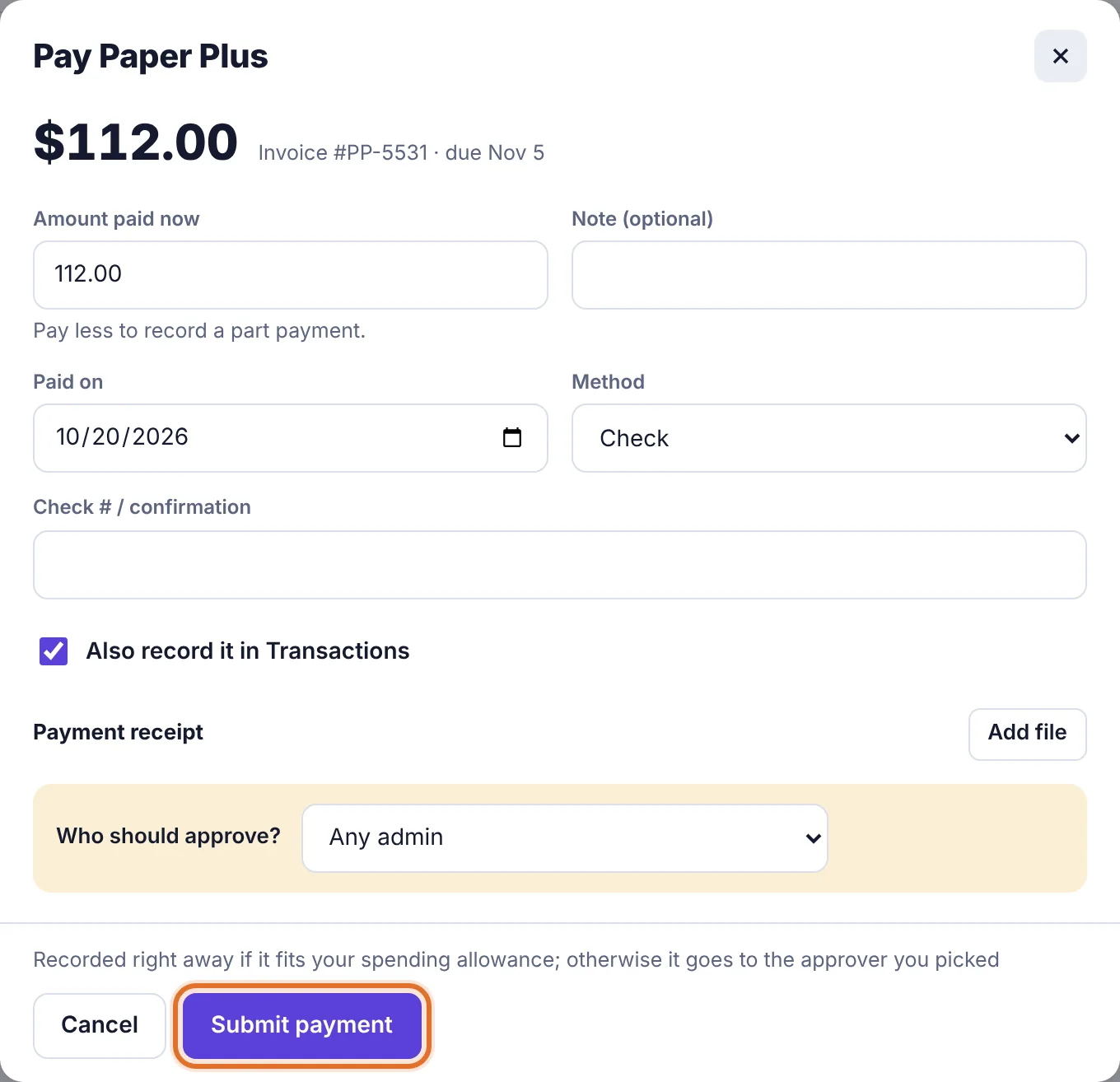
Paying a bill works a little differently. An employee with an allowance sees Submit payment on the Pay form, with the note Recorded right away if it fits your spending allowance; otherwise it goes to the approver you picked. Plainstamp checks the allowance when they click it.