See a bill's payments, remove a payment or reopen a bill
Check every payment made toward a bill, undo a payment recorded by mistake, or reopen a paid bill.
Every payment toward a bill is listed on the bill itself, with its date, method, check number, who recorded it and any note.
See a bill's payments#
Open the bill: from Bills to pay if it still has a balance, or from Completed > Paid bills if it's paid.
Look under Payments. Below the list you'll see the total paid and what's still owed.
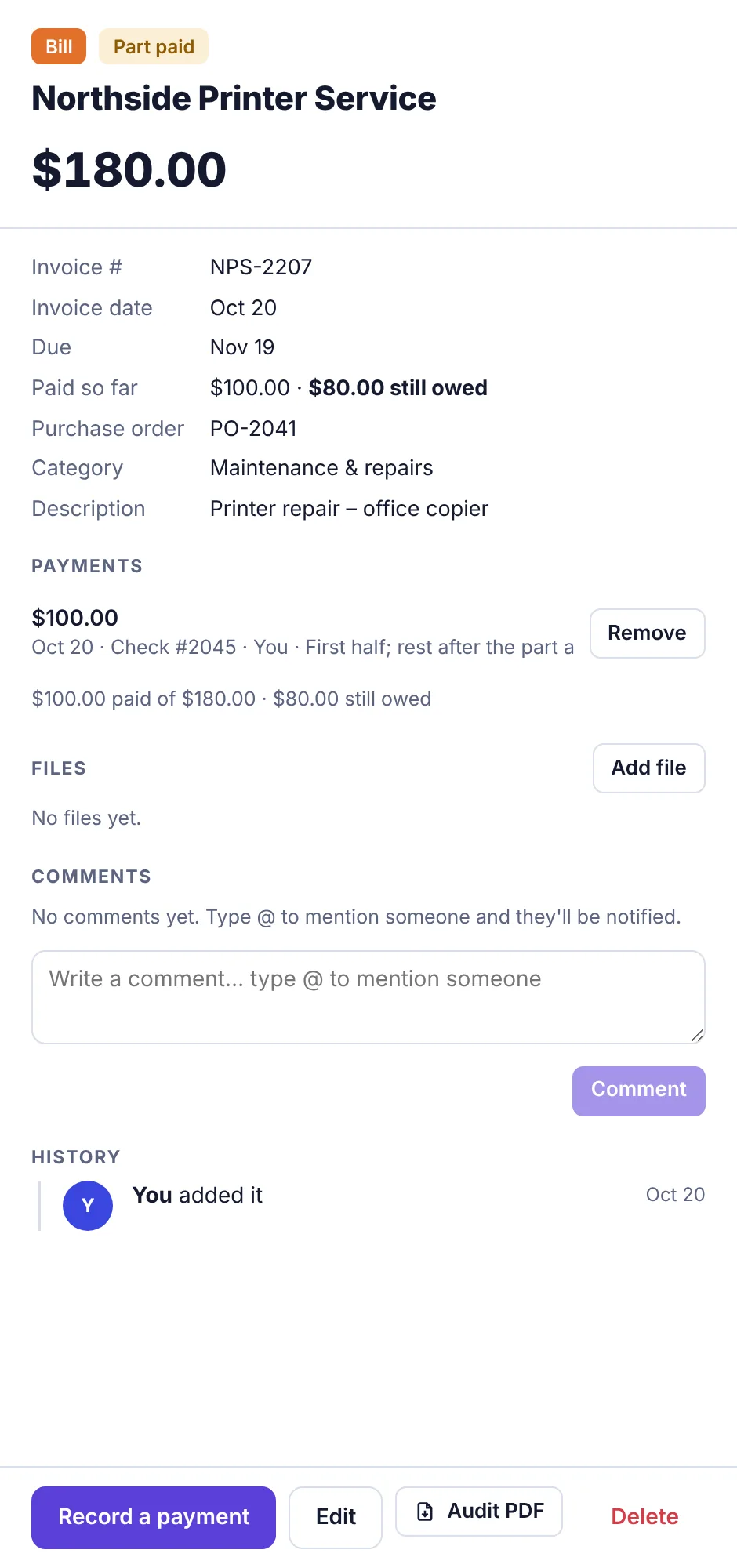
A part-paid bill with one $100 payment listed and $80.00 still owed
The details at the top also show Paid so far for a part-paid bill, and Paid (date, method and check number) once it's paid in full.
Remove a payment recorded by mistake#
Open the bill.
Under Payments, click Remove next to the wrong payment.
The payment is taken off and the bill's balance goes back up. If that leaves the bill short, it returns to Bills to pay.
The transaction that was added with the payment (if Also record it in Transactions was ticked) is not deleted, because the money may really have moved. Plainstamp reminds you: Its transaction is still in Transactions; delete it there if it was a mistake too.
Reopen a paid bill#
Go to Completed and click Paid bills.
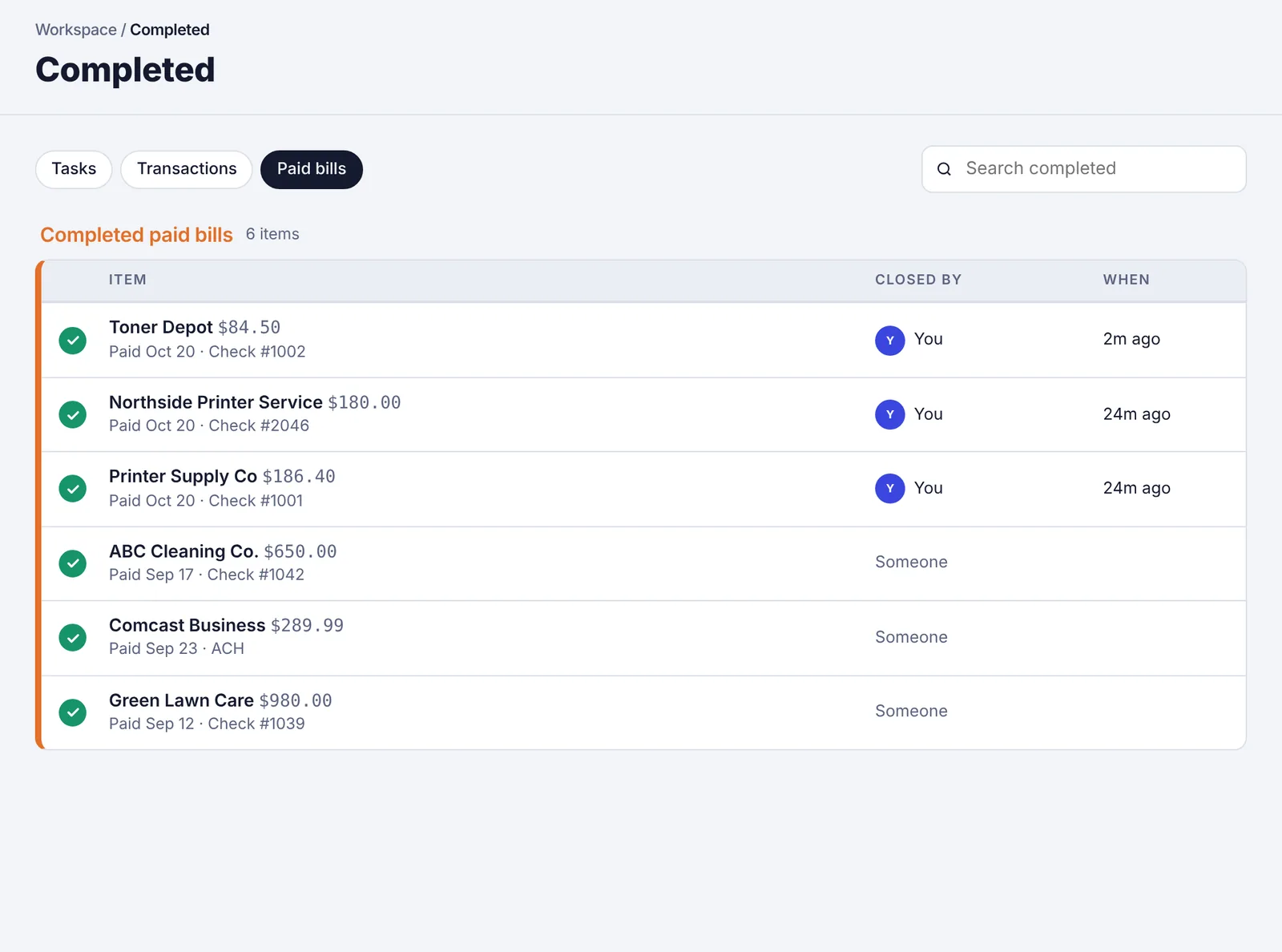
The Completed page, Paid bills tab Click the green tick next to the bill, or open the bill and click Reopen.
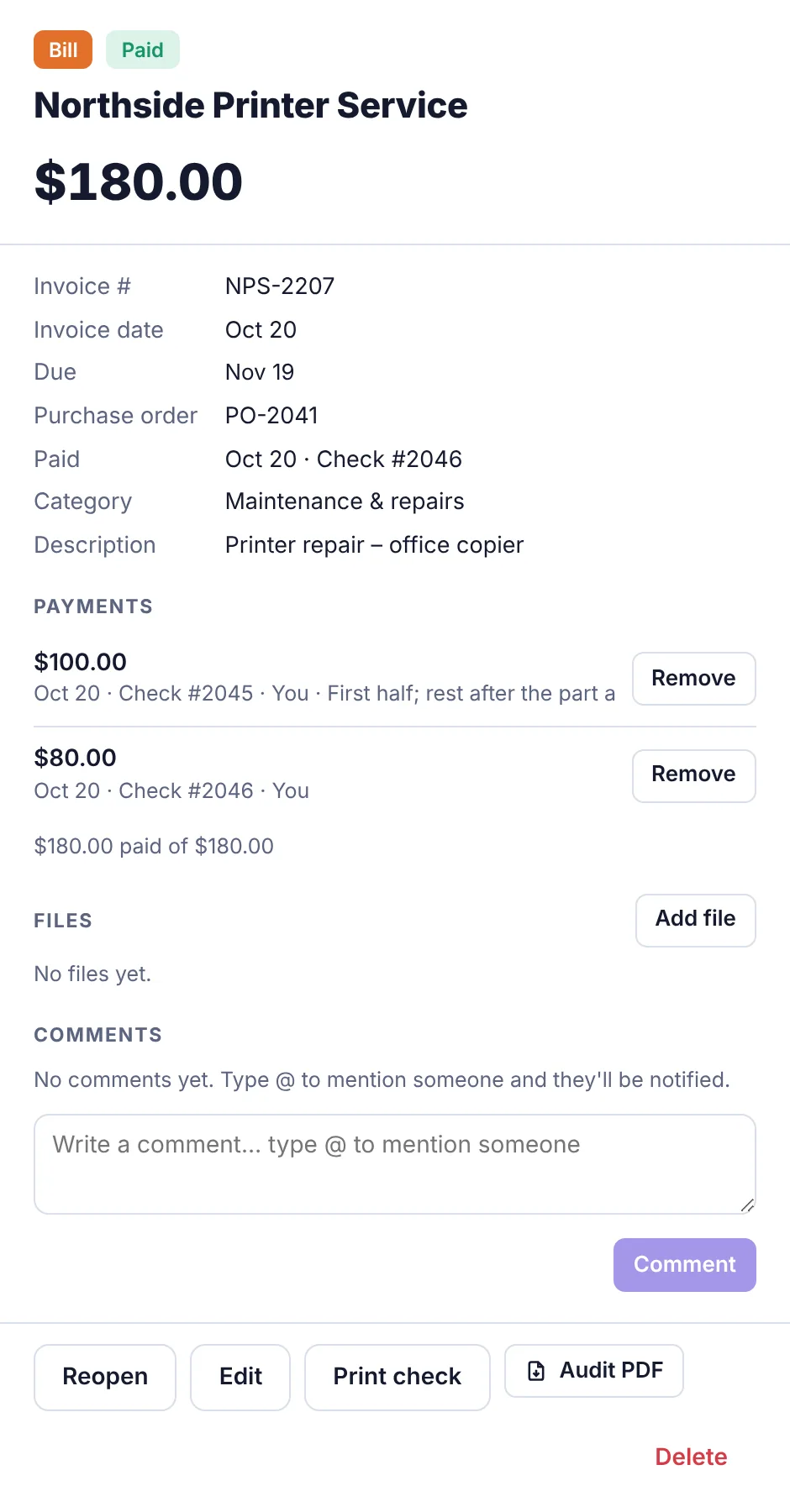
A paid bill showing its two payments and the Reopen, Edit and Print check buttons
Reopening clears all the payments recorded toward the bill, so it's fully unpaid again and goes back to Bills to pay. As with removing a payment, the matching transactions stay in Transactions; delete them there if they were a mistake.
Where else payments show up#
The vendor's page and vendor statement list every payment.
If the vendor has a portal link, they see the bill as paid, with the date and check number.