Get paid back for expenses and mileage
Log things you paid for with your own money and business trips in your own car, and how admins record paying people back.
Paid for office supplies with your own card, or drove to a job site in your own car? Add it to Plainstamp and it waits on the Reimbursements page until an admin records paying you back.
Add an out-of-pocket expense#
In the menu, click Reimbursements.
Click Out-of-pocket expense. A file picker opens so you can pick the receipt straight away, and Plainstamp reads it into the form. (Or close the picker and type it in.)
Check the date, amount, payee and category.
Make sure I paid for this with my own money. Pay me back. is ticked.
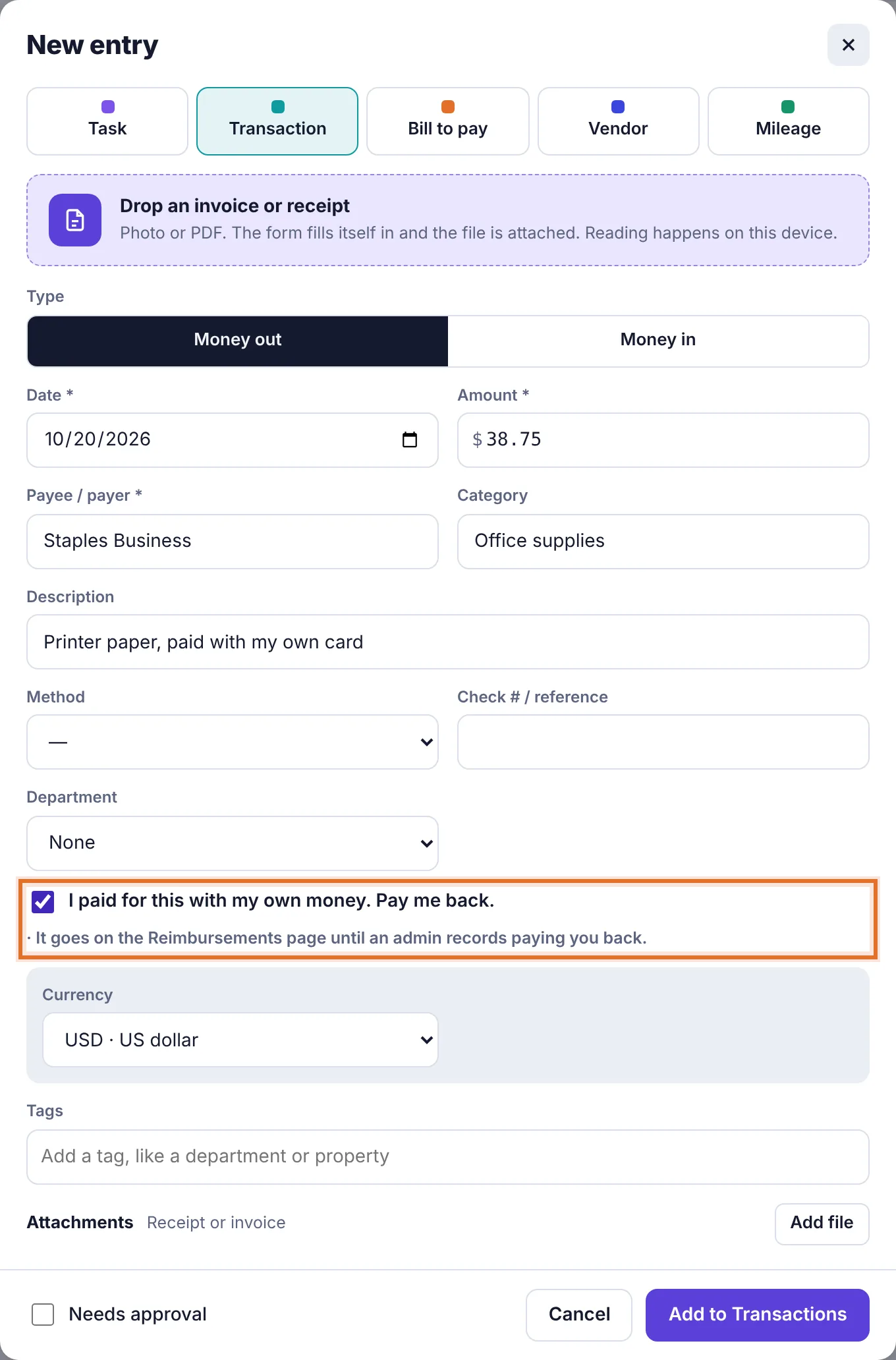
The transaction form with I paid for this with my own money. Pay me back. ticked Click Submit for approval (or Add to Transactions if you're an admin).
You can also tick that box on any money-out transaction you add from Transactions or the phone camera button.
Out-of-pocket expenses always go to an admin for approval when an employee adds them, even if they fit a spending limit. Until it's approved, a note at the top of Reimbursements says it's waiting.
Log a trip#
On Reimbursements, click Log a trip.
Fill in Date of the trip, Miles, and optionally From, To and What was the trip for?
Tick Round trip (double the miles) if you drove there and back.
The form shows the miles times your workspace's rate per mile, and the total.
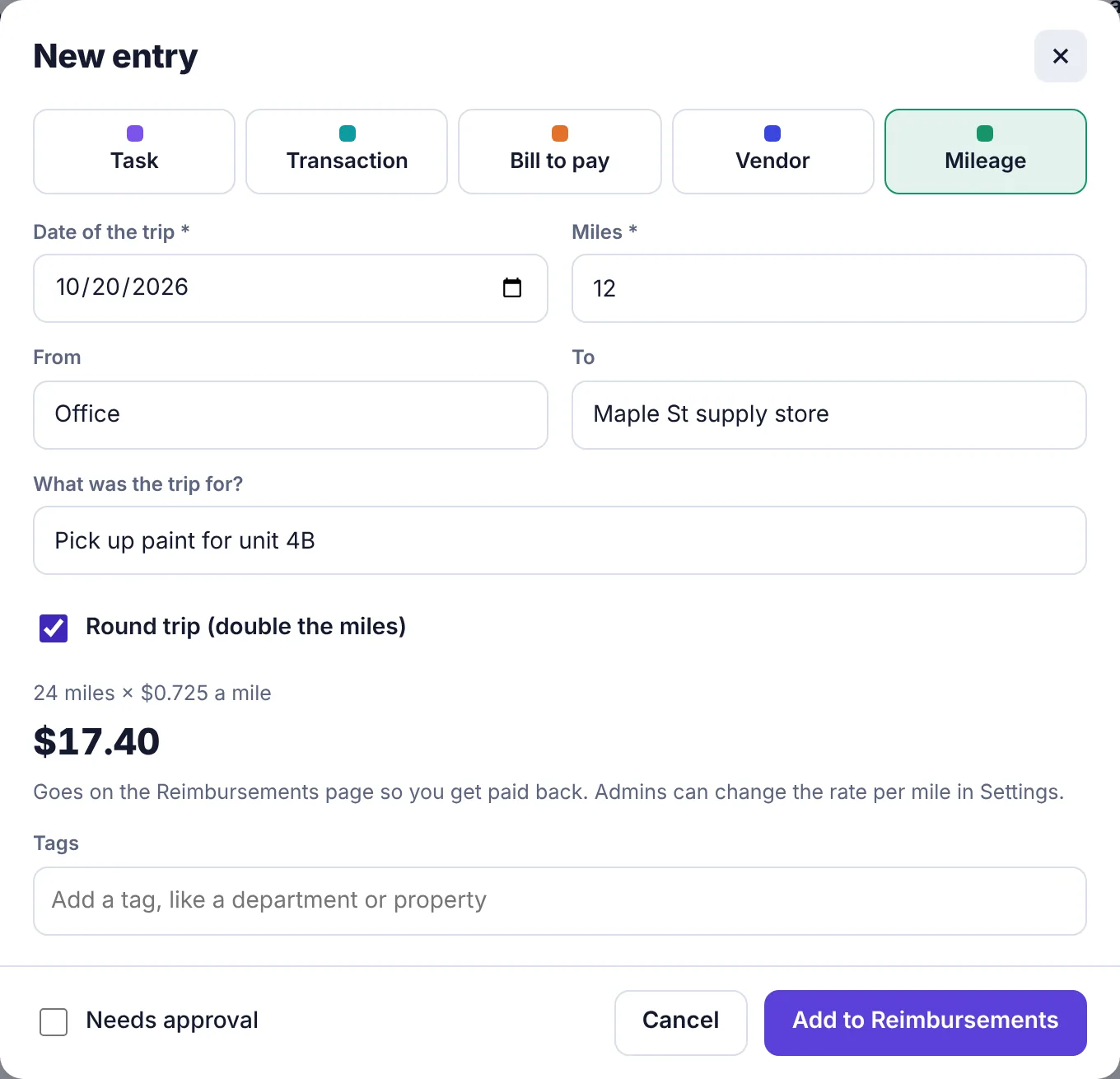
The Mileage form: 12 miles, round trip, 24 miles at $0.725 a mile, totalling $17.40 Click Submit for approval (or Add to Reimbursements if you're an admin). An admin's trip is added straight away with the message Added to Reimbursements.
You can also log a trip from any New entry form by clicking Mileage at the top. One trip can be up to 5,000 miles.
Change the mileage rate#
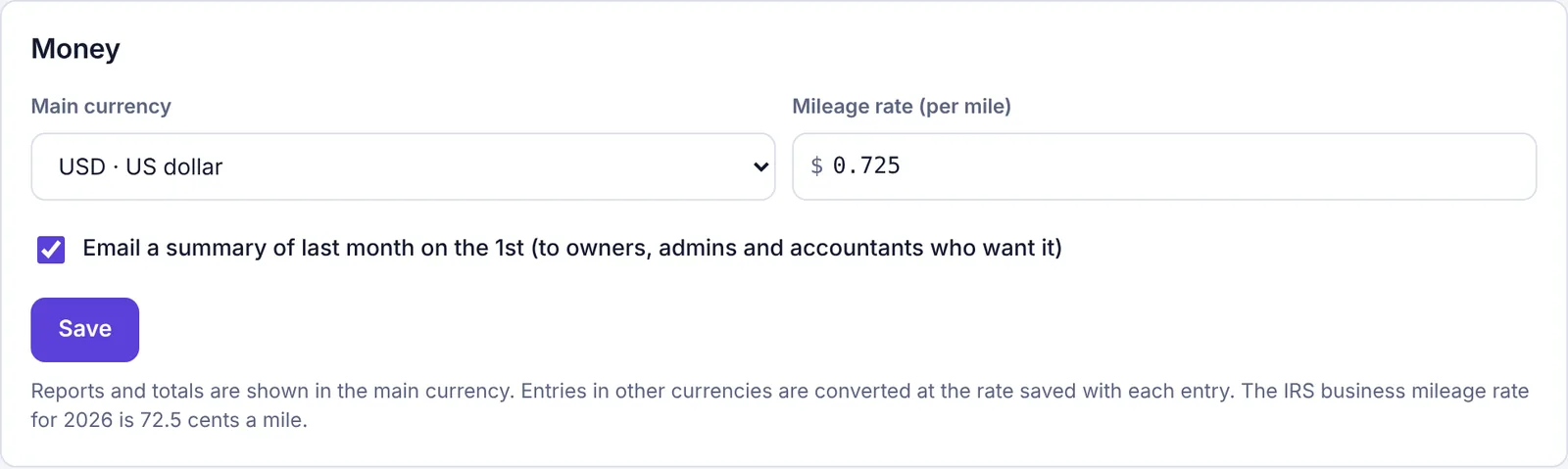
Owners and admins set the rate in Settings, under Money > Mileage rate (per mile), then click Save. The rate can have three decimals, like 0.725, and shows that way on the trip form ($0.725 a mile). For US businesses, use the IRS standard mileage rate for the current year. Each trip keeps the rate it was logged at, so changing it doesn't change past trips.
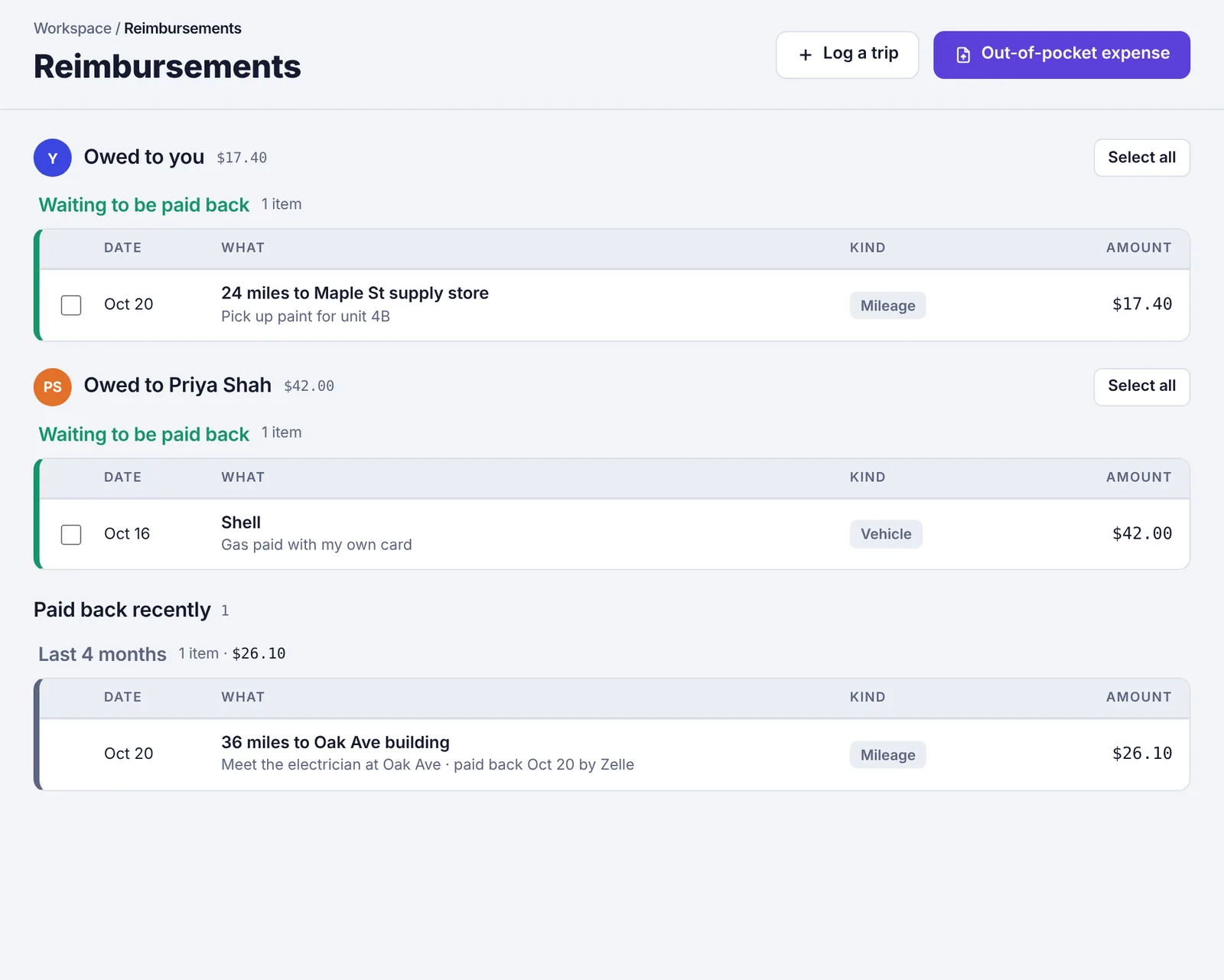
What the Reimbursements page shows#
Money owed is grouped by person (Owed to you, Owed to Priya Shah and so on) with each person's total. Their items are listed under Waiting to be paid back. Below that, Paid back recently lists everything paid back in the last 4 months, with the date and how.
Reimbursable items also appear on Transactions with a Reimburse label (or Paid back once settled), so they're part of your books like any other expense.
Record paying someone back#
On Reimbursements, tick the items you're paying back, or click Select all next to a person.
At the bottom, click Record paying them back.
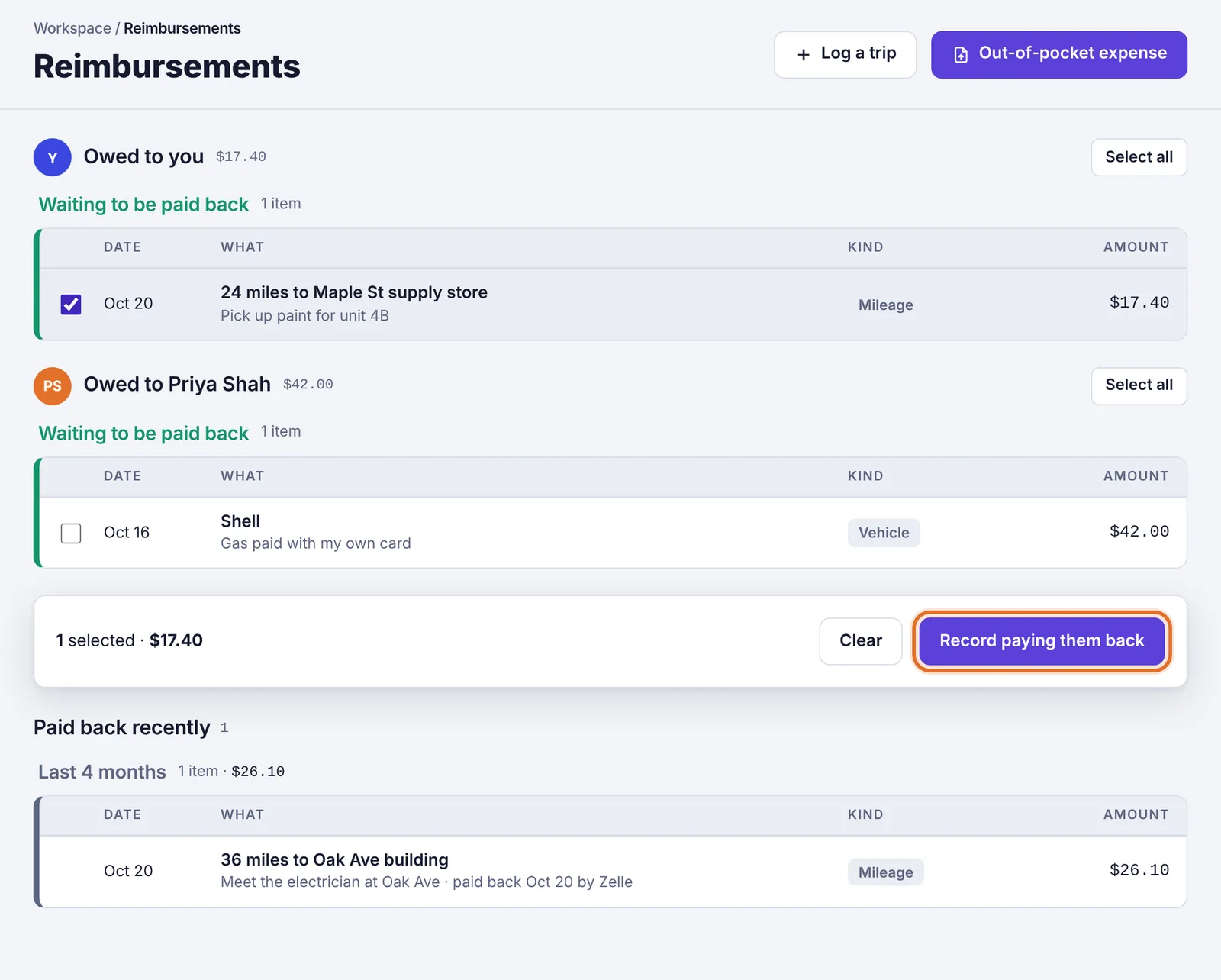
One item selected, with Record paying them back at the bottom Check Paid on, pick How (Zelle, Payroll, Check, ACH / wire and so on) and add a Check # / confirmation if you have one.
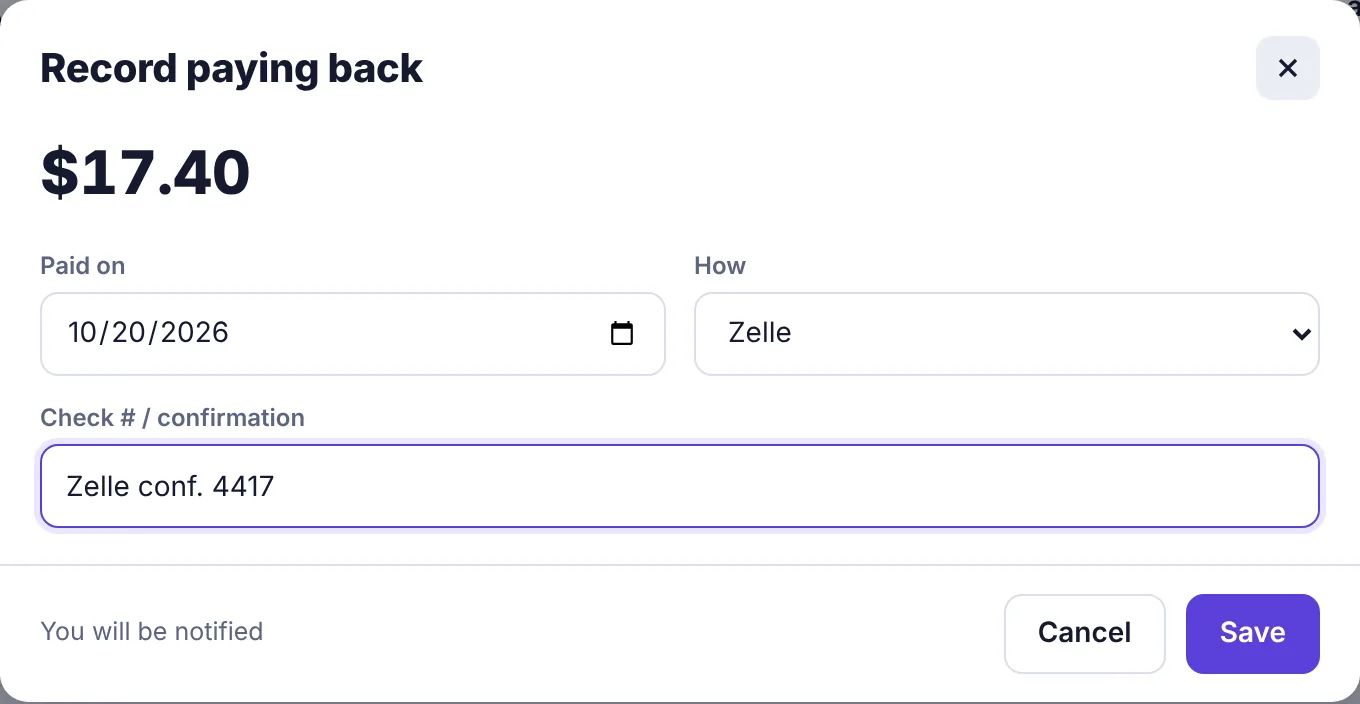
The Record paying back form with the date, method and confirmation Click Save. The note at the bottom of the form shows who will be notified.
Each person is notified that they were paid back, and the items move to Paid back recently.
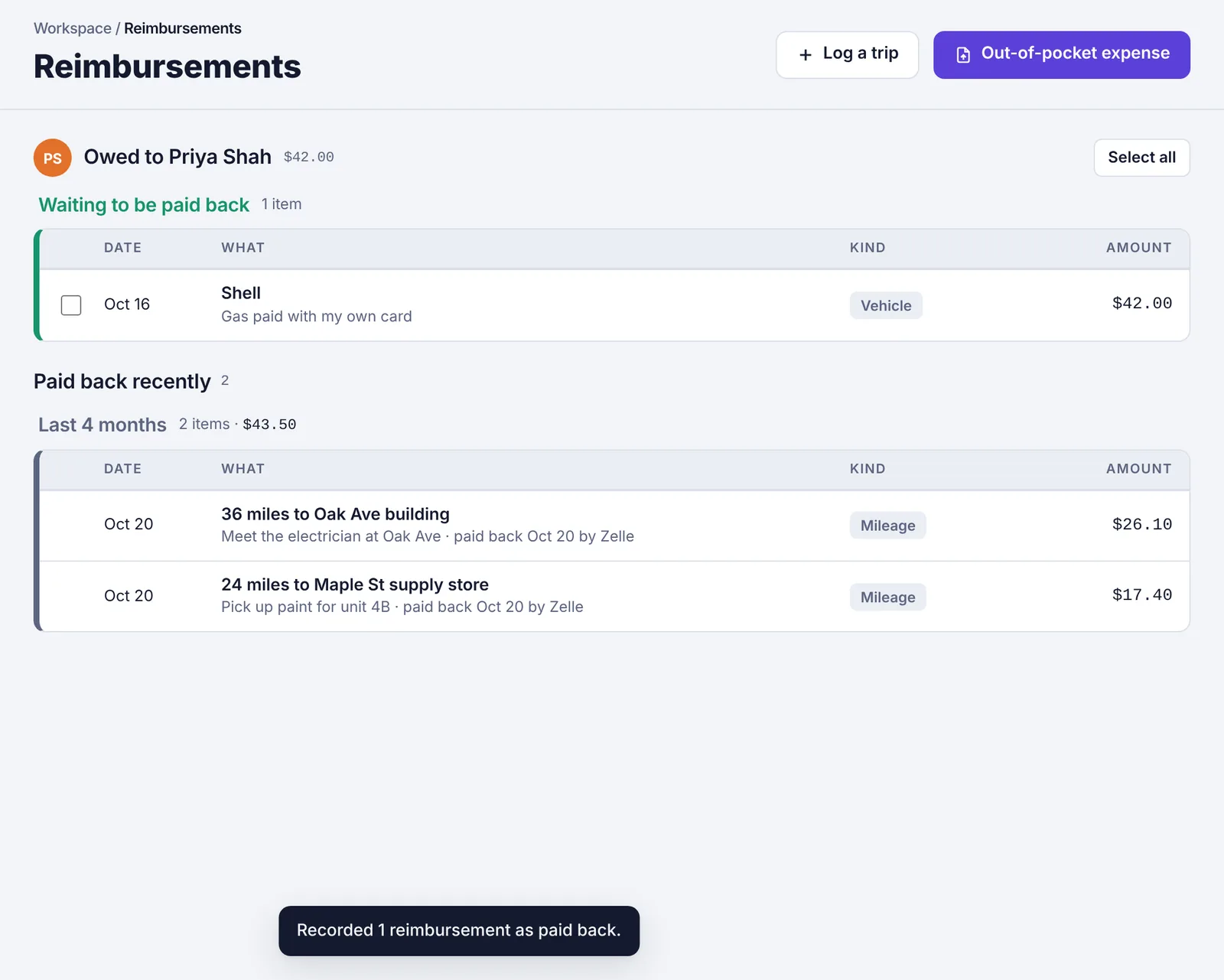
You can also open a single item and click Mark paid back today. Recorded it by mistake? Open the item and click Mark as still owed.