Send a vendor their portal link
Give a vendor a private link where they upload invoices, W-9s and insurance certificates and see which of their bills you've paid.
The vendor portal is a private web page for one vendor. They don't need an account. With the link they can:
send you invoices (a PDF or a photo, with the invoice number, amount and a note),
upload their W-9 and insurance certificate when you ask for them,
see their open invoices with due dates, and what you've paid them in the last year (with the date, method and check number).
That cuts down on "did you get my invoice?" and "when will I be paid?" calls. They see nothing else in your workspace.
Create the link#
Go to Vendors and click the vendor.
Scroll to Vendor portal.
Tick what you need from them, if anything:
Ask them for a W-9
Ask for their insurance certificate
Click Create a link.
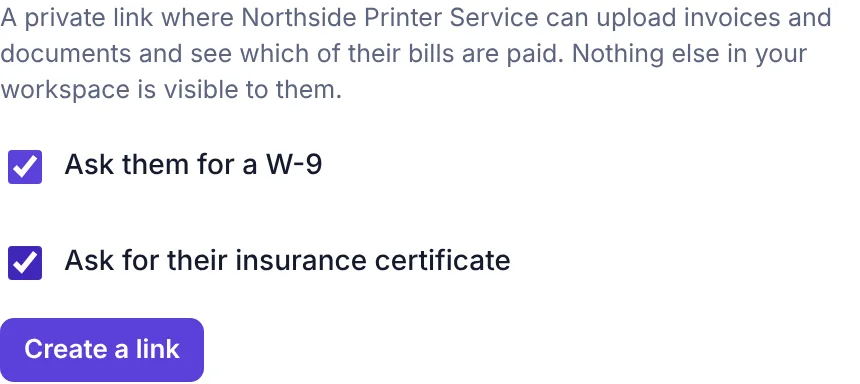
The Vendor portal section before creating a link, with the two Ask boxes Click Copy and send the link to the vendor, or click Email it to open an email to them with the link already written in.
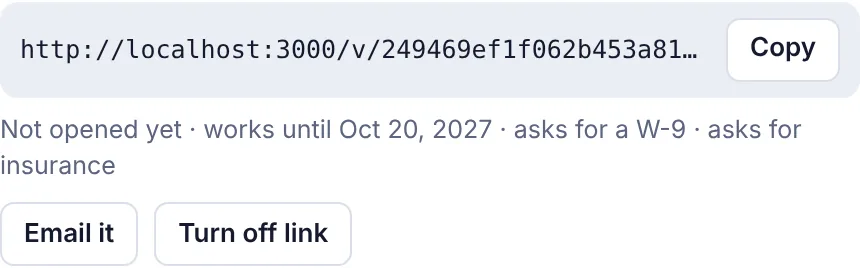
A live portal link with Copy, Email it and Turn off link
Under the link you'll see when the vendor last opened it (or Not opened yet), the date it works until (one year from when you made it), and what it asks for.
What the vendor sees#
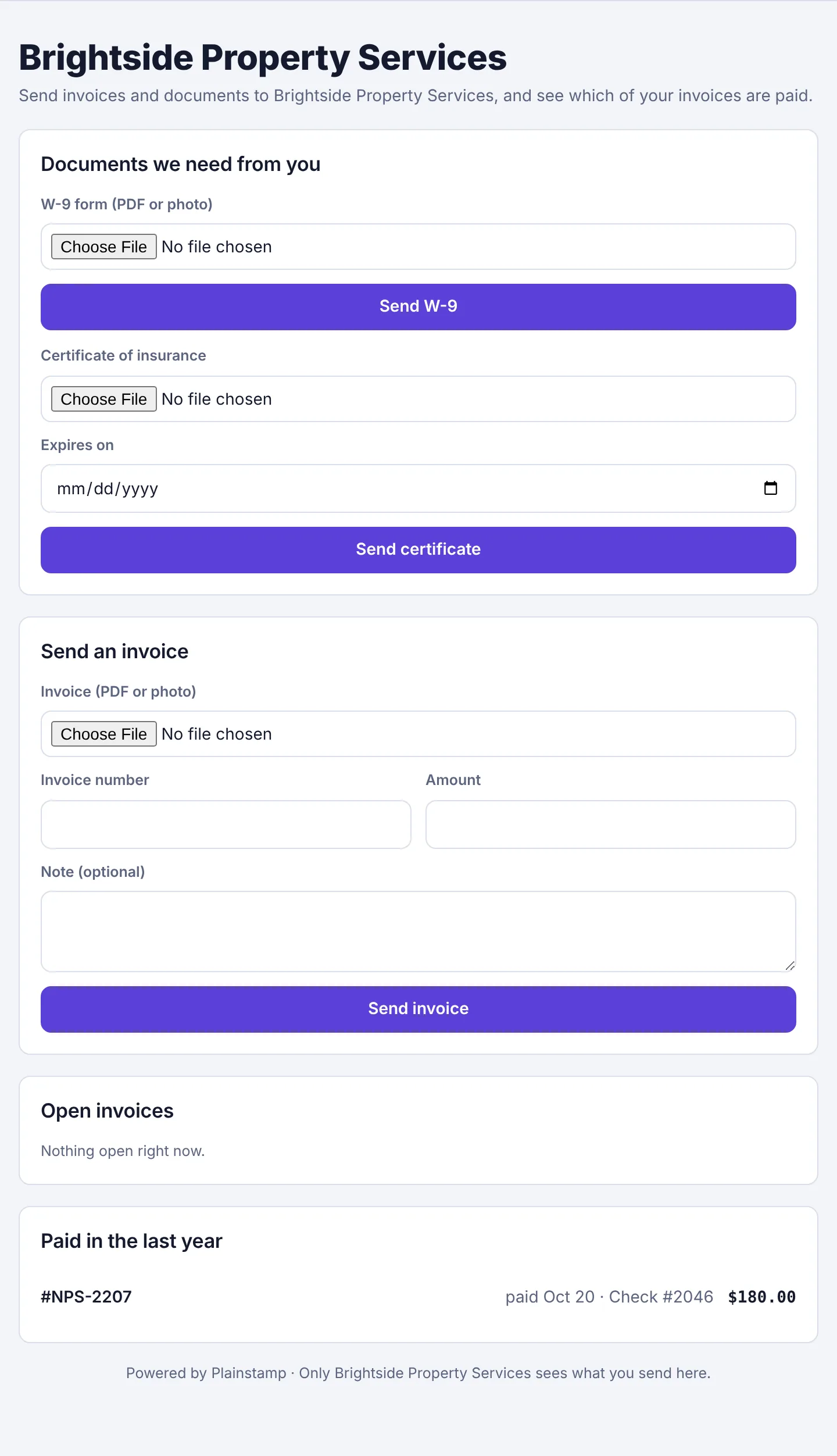
Documents we need from you appears only for what you asked for, and only until they've sent it.
Send an invoice takes a PDF or photo up to 20 MB, plus an optional invoice number, amount and note.
Received, being entered lists invoices they've sent that you haven't filed yet.
Open invoices and Paid in the last year come from the bills you've recorded for them.
What happens when they upload#
An invoice goes to your Invoice inbox, marked Vendor portal, ready for you to click Make it a bill. See Use the invoice inbox.
A W-9 or insurance certificate is saved straight onto the vendor's Documents, labelled correctly, with the expiry date they entered for insurance.
Owners and admins get a notification either way. A vendor can send up to 25 uploads a day through their link.
Turn a link off#
Open the vendor and click Turn off link. It stops working at once. Creating a new link also turns off the old one, since each vendor has only one live link at a time.