Print a vendor statement
List everything a vendor billed you and everything you paid them in a period, with what's still owed, and print it or save it as a PDF.
A vendor statement shows, for one vendor and one period, every bill they sent you and every payment you made toward their bills, with what's still owed. It's handy when a vendor says they haven't been paid, or when you want to match their records against yours.
Open and print a statement#
In the menu, click Vendors and click the vendor.
At the bottom of the vendor's panel, click Statement.
Set From and To. It starts with the last 12 months, up to today.
Click Show.
Click Print or save as PDF. Your browser's print window opens; pick a printer, or choose to save as PDF.
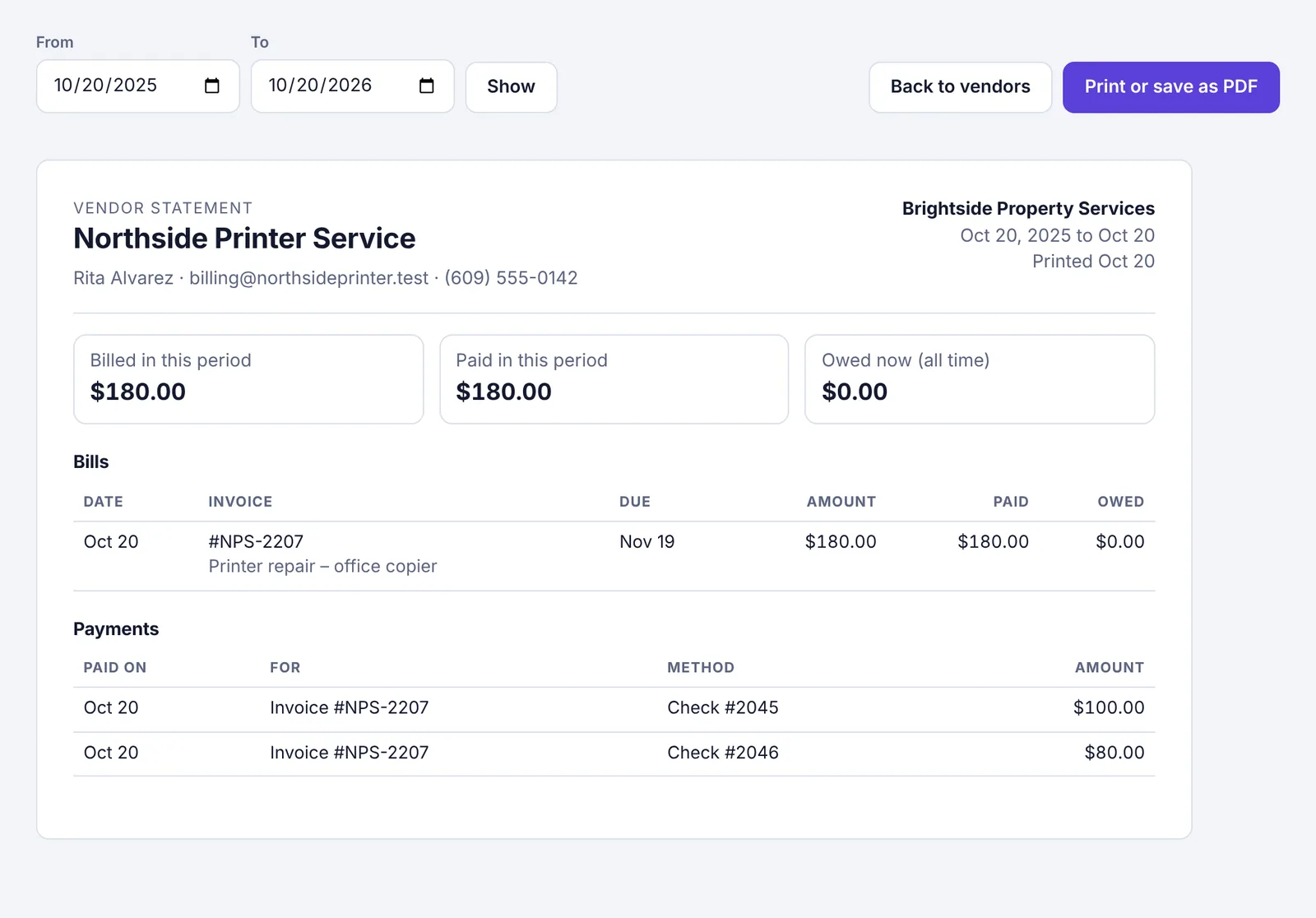
Click Back to vendors when you're done.
What's on it#
The top shows the vendor's name, contact details and address, your workspace's name, the period and the date it was printed. Under that are three boxes:
Billed in this period: the total of the bills dated in the period.
Paid in this period: the total of the payments made in the period.
Owed now (all time): everything still unpaid to this vendor, however old.
Bills lists each bill whose invoice date falls in the period (a bill with no invoice date counts from the day it was added), with its invoice number, description, due date, amount, how much is paid and what's still owed.
Payments lists each payment made in the period: the date, which invoice it was for, the method and check number, and the amount. A payment toward a bill that still has a balance is marked (part). A payment can show even if its bill is from before the period.
Good to know#
The statement includes the same bills as the vendor's card: bills linked to the vendor and bills entered under the vendor's name.
The statement is built from bills and their payments. A money-out transaction you added on its own, not as a bill payment, isn't on it.
If you remove a payment or reopen a bill, the statement changes to match.
If a vendor has bills in more than one currency, the statement says This vendor has bills in more than one currency; totals add the amounts as written.
Vendors with a portal link can see their open invoices and what you've paid them in the last year themselves.