The Overview page
What each card on the Overview means, who sees which cards, and how a Worker's My work page differs.
The Overview is the first page you see when you open a workspace. It answers one question: what needs me today? Every card is a link, so click it to go to the board behind it.
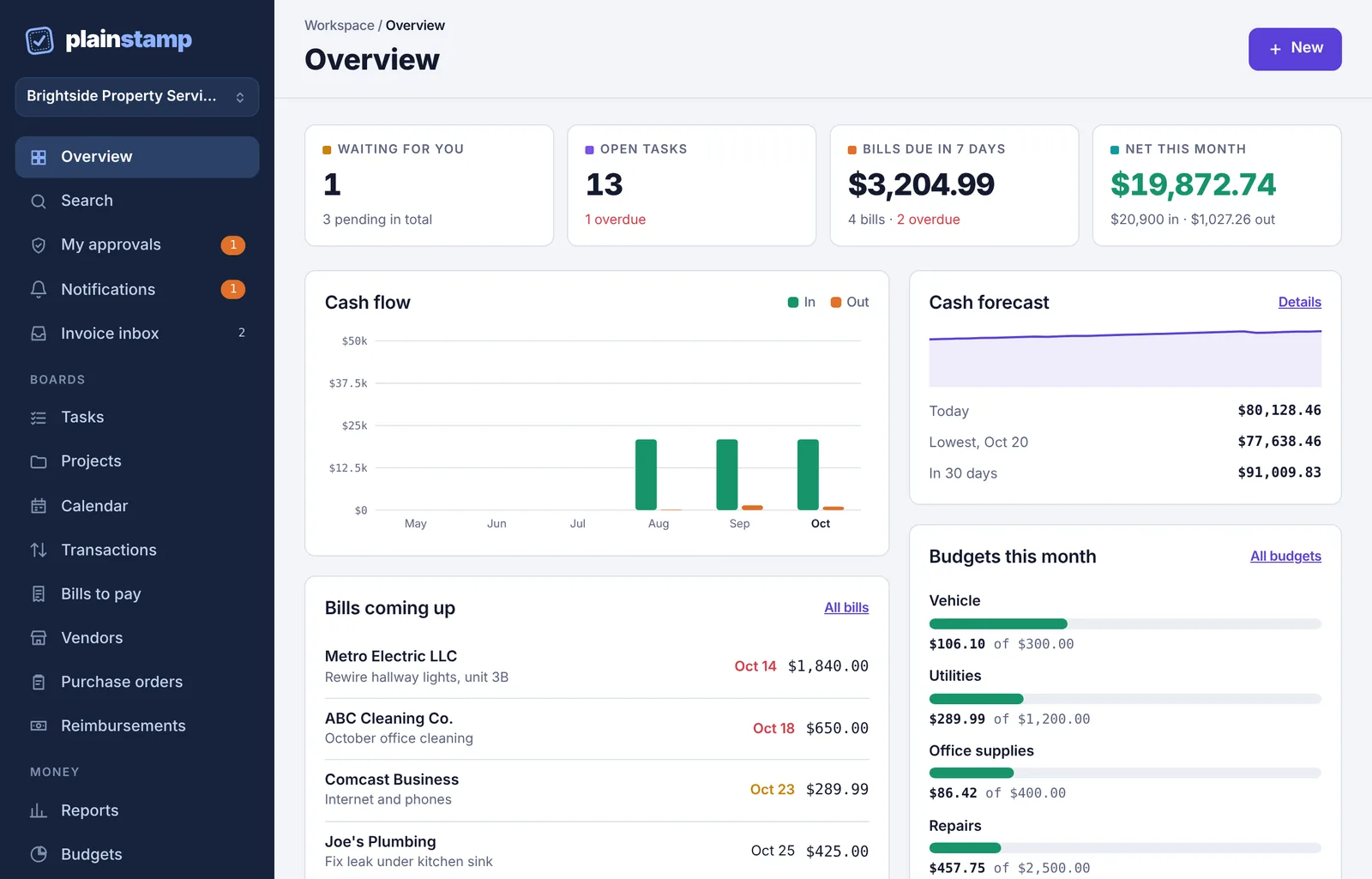
The four number cards#

| Card | What it shows | Click it to open |
|---|---|---|
| Waiting for you (owners and admins) | How many requests are waiting for your decision. Underneath: how many are pending in total, for anyone. | My approvals |
| Your open requests (everyone else) | How many things you've sent that are still waiting for approval. | My requests |
| Open tasks | All open tasks you can see. Underneath, in red: how many are overdue. | Tasks |
| Bills due in 7 days | What's still owed on unpaid bills due in the next 7 days, including ones already overdue. Part-paid bills count only what's left. Underneath: how many bills, and how many are overdue. | Bills to pay |
| Net this month | Money in minus money out from this month's transactions. Green when you're ahead, red when you're behind. Underneath: the totals in and out. | Transactions |
Amounts are shown in your workspace's main currency. Entries in other currencies are converted at the rate saved with each one.
Cash flow#
A bar chart of the last six months: money in (green) and money out (orange) from your transactions, month by month, in your main currency (the amounts along the side use its symbol, like $5k, €5k or ₪5k). Hover over a bar to see the exact amount. Until you've recorded transactions, it says "Six months of money in and out will chart here once transactions are recorded."
Bills coming up#
Your next six unpaid bills, soonest due first, with what's still owed on each. Overdue dates show in red. Click All bills for the full list.
Cash forecast#
A small chart of your expected bank balance over the next 30 days, with Today, the Lowest point (and its date) and the balance In 30 days. If the balance is going to drop below zero, a red line warns you how short you'll be and when. Click Details for the full forecast.
If you haven't set it up yet, the card says "Enter today's bank balance or connect your bank to see the next 30 days." with a Set it up button.
Budgets#
Budgets this month shows up to four categories closest to their monthly limit, with a bar and "$X of $Y". Categories that are nearly used up say Close to the limit; ones that have gone over say Over budget. Click All budgets to see them all.
With no budgets set, admins see a Set a budget button instead. See Budgets.
My tasks#
Up to six open tasks that are yours or not given to anyone yet, soonest due first. Tasks nobody has taken say Unassigned. Click All tasks for the board.
Recent activity#
The last few things that happened in the workspace: who added, approved, paid or finished what. Click Full log for the Activity log.
The setup checklist#
In a new workspace, owners and admins also see Get your office set up at the top. See Set up your workspace.
A Worker's home page: My work#
Workers don't see the Overview. Their home page is called My work in the menu and greets them by name ("Hi Tom"). It shows only their own work:
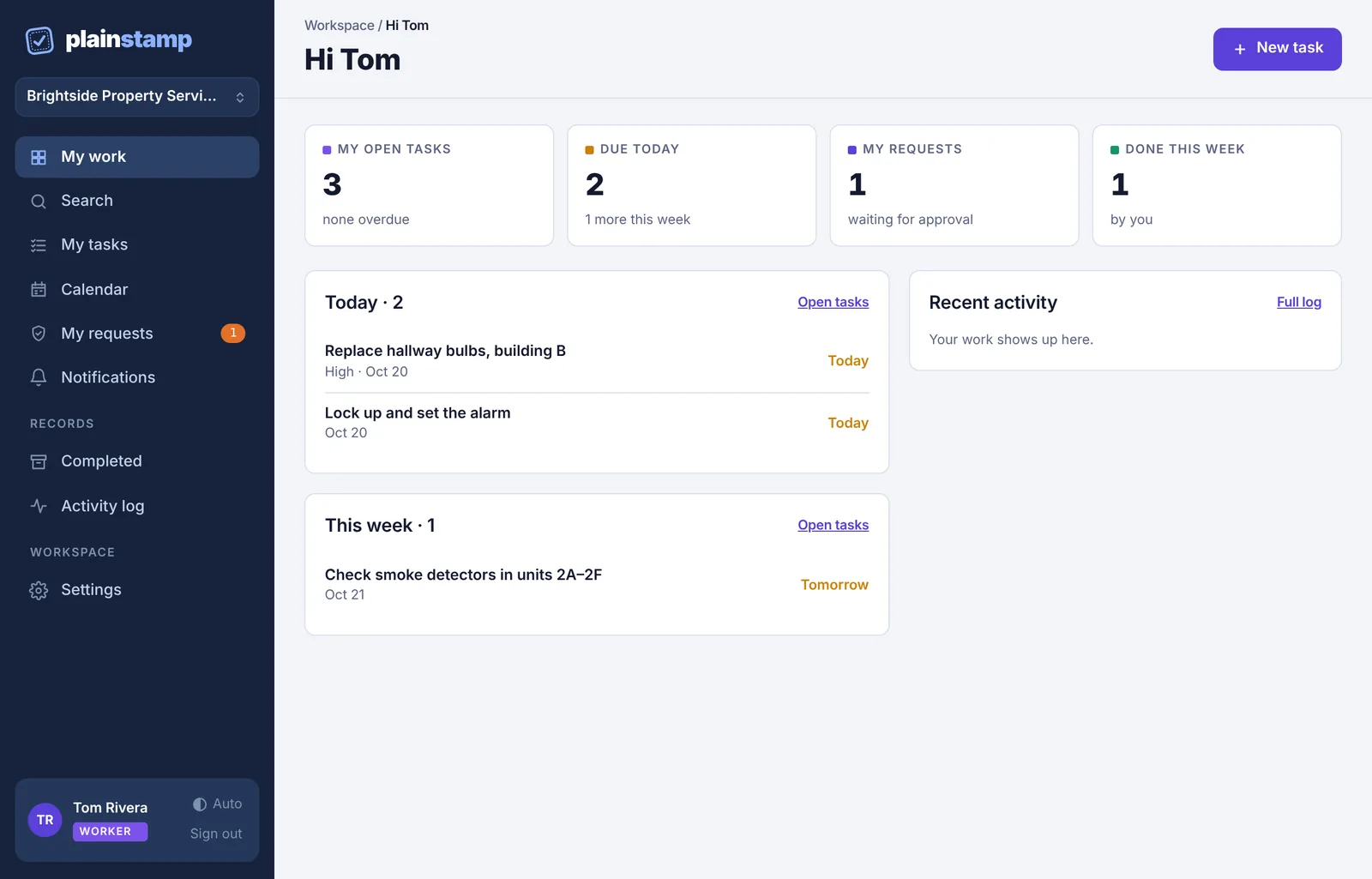
My open tasks: tasks given to them, with how many are overdue (or in progress).
Due today: tasks due today, and how many more are due this week.
My requests: tasks they added that are waiting for approval. If an admin sent one back, it says so in red.
Done this week: tasks they ticked off in the last 7 days.
Their tasks grouped under Overdue, Today, This week, Later and No date.
Tasks I gave to others, if they've added tasks for someone else.
Recent activity.
Their button says New task instead of New. See Start here if you're a worker.