Set monthly budgets and get alerts
Give a category a monthly limit, watch how much is left as the month goes on, and get told at 80% and when it goes over.
A budget is a monthly spending limit for one category, like Supplies or Repairs. The Budgets page shows how much of each one is spent so far this month, and Plainstamp tells owners and admins when a category reaches 80% and when it goes over.
Add a budget#
In the menu, under Money, click Budgets.
Scroll to the form under the list of budgets. Its boxes sit side by side in one row.
In Category, choose a category from the list or type your own.
On the Business plan, if you use departments, choose who it's For: The whole workspace or one department.
Type the Monthly budget amount.
Click Add budget.

The Add budget form: Category, For, Monthly budget and the Add budget button
Each category gets one budget (or one per department). If you add a budget for a category that already has one, the amount is updated instead of making a second one.
Change or remove a budget#
Click Change on the budget's row.
Type the new monthly amount and click Save (or Cancel).

Changing the Vehicle budget: the amount box with Save and Cancel
To stop tracking a category, click Remove on its row.
Read the page#
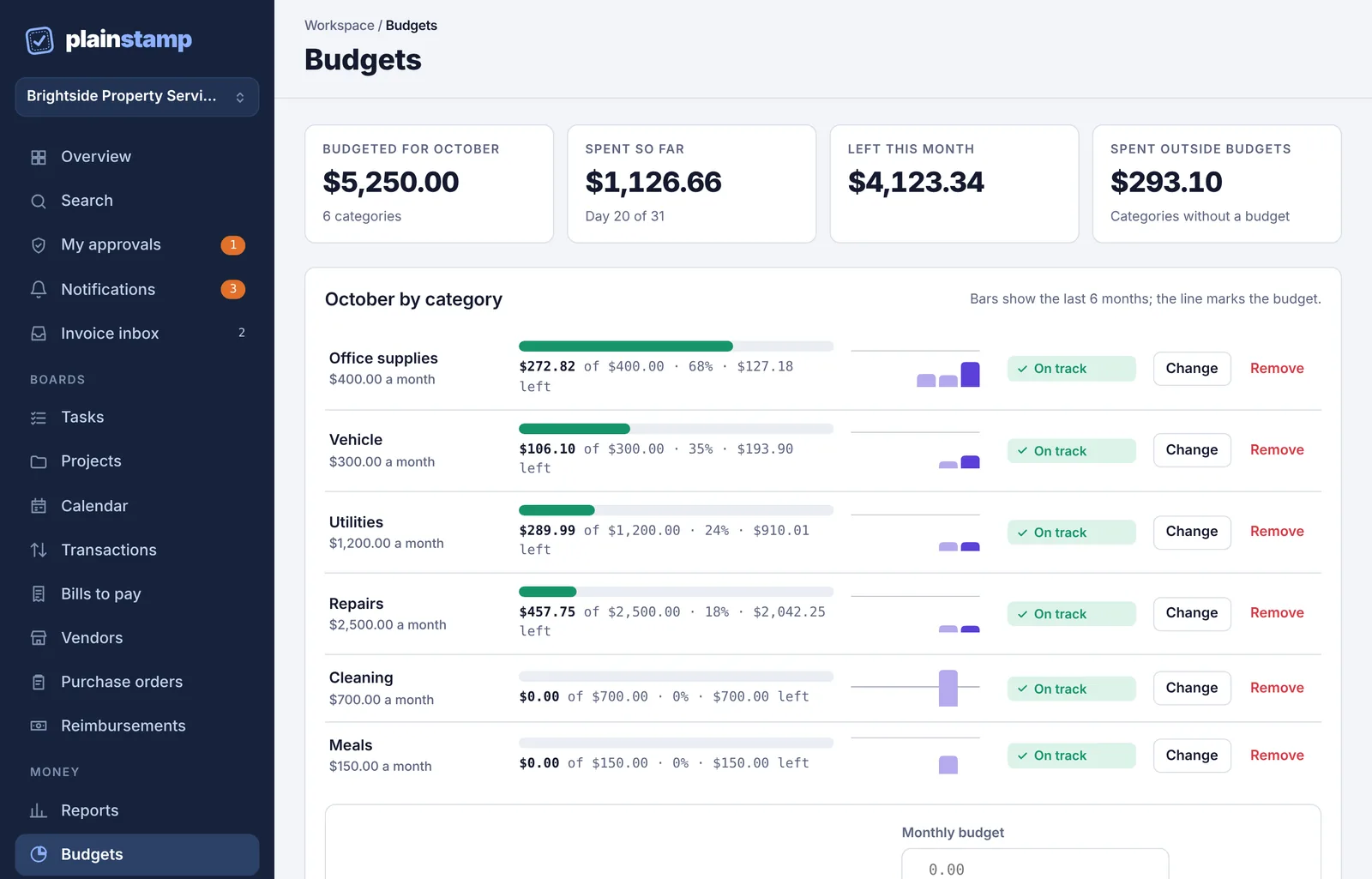
The boxes at the top cover the current month:
Budgeted for (the month): all your budgets added up.
Spent so far: what's been spent in budgeted categories, with the day of the month.
Left this month: the difference. It turns red if you've gone over.
Spent outside budgets: spending in categories that have no budget.
Each row shows the category, its monthly amount, a bar of how much is spent (for example "$106.10 of $300.00 · 35% · $193.90 left"), small bars for the last 6 months with a line at the budget, and a status:
| Status | When |
|---|---|
| On track | under 80% of the budget |
| Close to the limit | 80% or more |
| Over budget | 100% or more |
The rows closest to their limit are listed first.
What counts as spending#
Money-out transactions and paid bills in that category, dated this month. A bill counts when it's paid, not when it arrives, so unpaid bills don't use up a budget yet. A bill paid with a recorded transaction is only counted once.
Category names are matched without caring about capital letters, so "office supplies" and "Office supplies" are the same budget.
Budget alerts#
When a category reaches 80% of its budget, owners and admins get a notification: "Category is at 80% of its budget".
When it reaches 100%, they get "Category is over budget".
Each alert goes out once per category per month. Next month starts fresh.
Plainstamp checks right after money is recorded (a transaction, a bill payment, a pay run or a reimbursement) and again once a day. Alerts arrive the same way as your other notifications (in Plainstamp, by email and on your phone, depending on your notification settings).
On the Overview page#
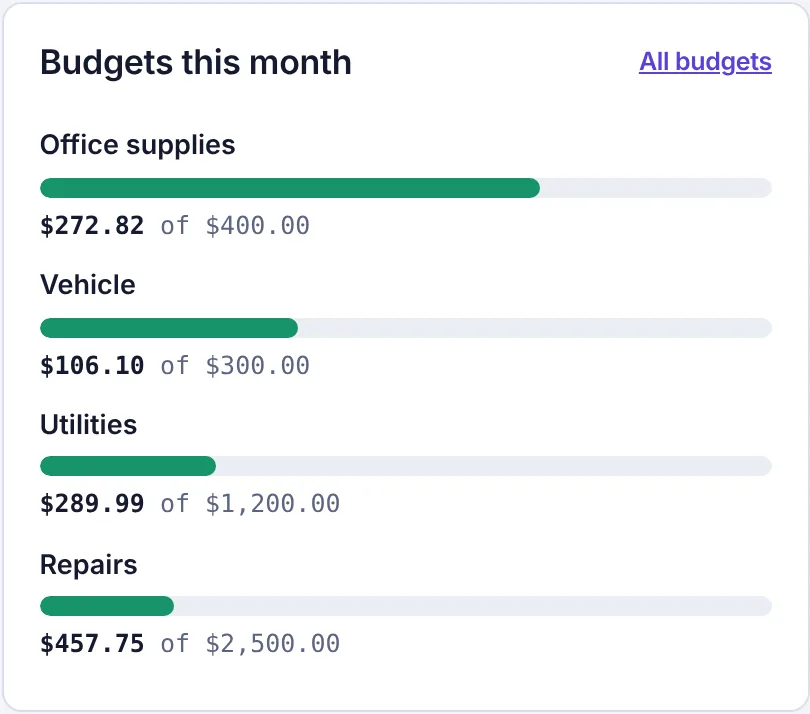
Owners, admins and accountants see a Budgets this month card on Overview with the four budgets closest to their limit. Click All budgets to open the full page. If you haven't set any budgets, owners and admins see Set a budget there instead.
Common questions#
My budget shows $0.00 spent but we bought things. Check the category on those entries. If they're in a different category (or have none), they show under Spent outside budgets instead.
Can I budget for a year or a quarter? Budgets are monthly. For a longer view, use Reports > By category with This quarter or This year.