Get a monthly summary by email
On the 1st of each month, owners, admins and accountants can get an email with last month's money in and out, top spending and anything overdue.
On the 1st of every month, Plainstamp can email a short summary of the month that just ended. It's a quick way to keep an eye on the money without opening the app.
What's in the email#
The subject reads "(Workspace): your (Month Year) summary". Inside:
Money in, Money out and Net for last month, with how each compares to the month before ("Up $500.00 on the month before").
Your unpaid bills right now, how many there are, and how much is overdue.
Over budget: any category that went over its budget last month. If you have budgets and none went over, it says "Every category stayed within its budget."
Where the money went: your top 5 spending categories.
Top vendors: the 5 vendors you paid most.
An Open Reports button that opens Reports on Last month.
The numbers are worked out the same way as on the Reports page.
Turn it on or off for the whole workspace#
Click Settings in the menu (the General tab).
Under Money, tick or untick Email a summary of last month on the 1st (to owners, admins and accountants who want it).
Click Save.
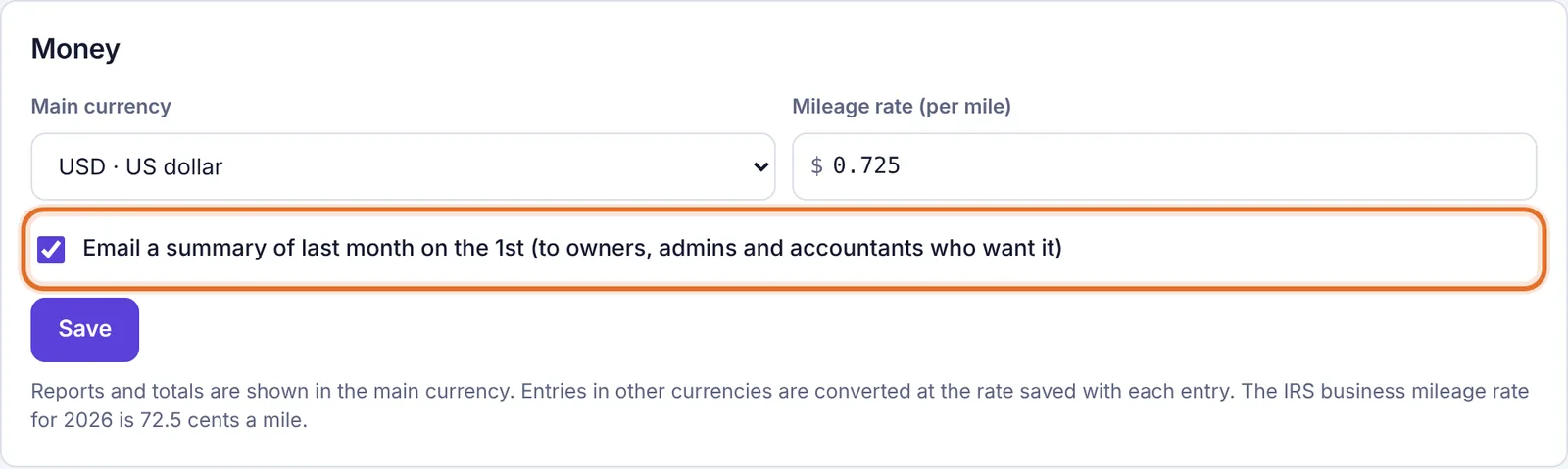
The Money settings with the monthly summary option
It's on unless someone turns it off.
Turn it off just for you#
Click Settings, then the Notifications tab.
Turn off Monthly summary.
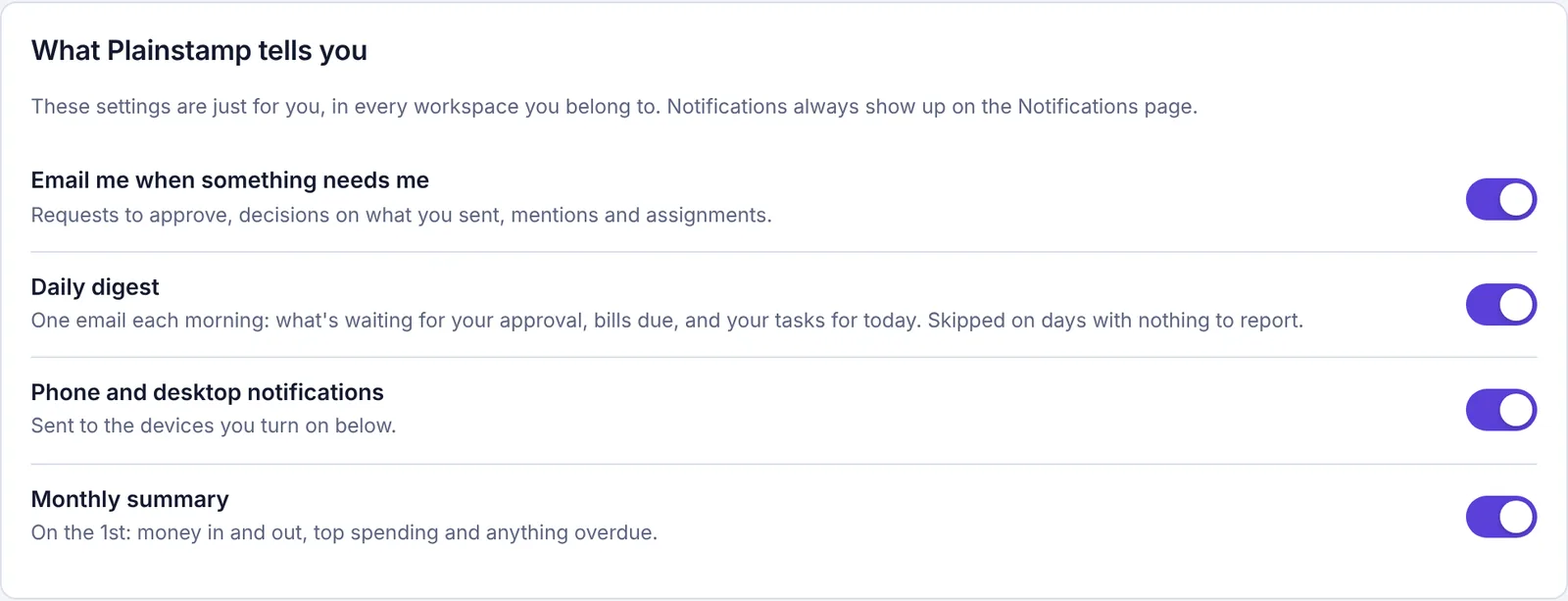
The Monthly summary switch on the Notifications settings page
The switch only shows for owners, admins and accountants. It's a personal choice, so it applies to you in every workspace you belong to.
Get last month's report now#
Owners and admins can send themselves the same email at any time:
Open Reports.
Click Email me last month's report at the top.
You'll see "Sent to (your email)." Check your inbox.

Common questions#
I didn't get it on the 1st. Check that the workspace setting is ticked, that Monthly summary is on in your notifications, that your role is owner, admin or accountant, and your spam folder. The email goes out once per workspace each month, in the morning (US time).
Can I choose another day, or a weekly email? Not yet. For a daily round-up of what needs you, use the Morning email in Settings > Notifications. Owners and admins can also get an end-of-day report on their team.
Can someone outside the workspace get it? No. Invite your bookkeeper as an Accountant and they'll get it, along with access to the money pages.