Use the Activity log
See who did what and when across the workspace, filter it, and what each role can see in it.
The Activity log is a running record of everything that happens in your workspace: every request, approval, payment, edit, role change and setting change, with who did it and when. Nothing in it can be edited or erased, so it's your answer to "who approved this?" or "who changed that bill?"
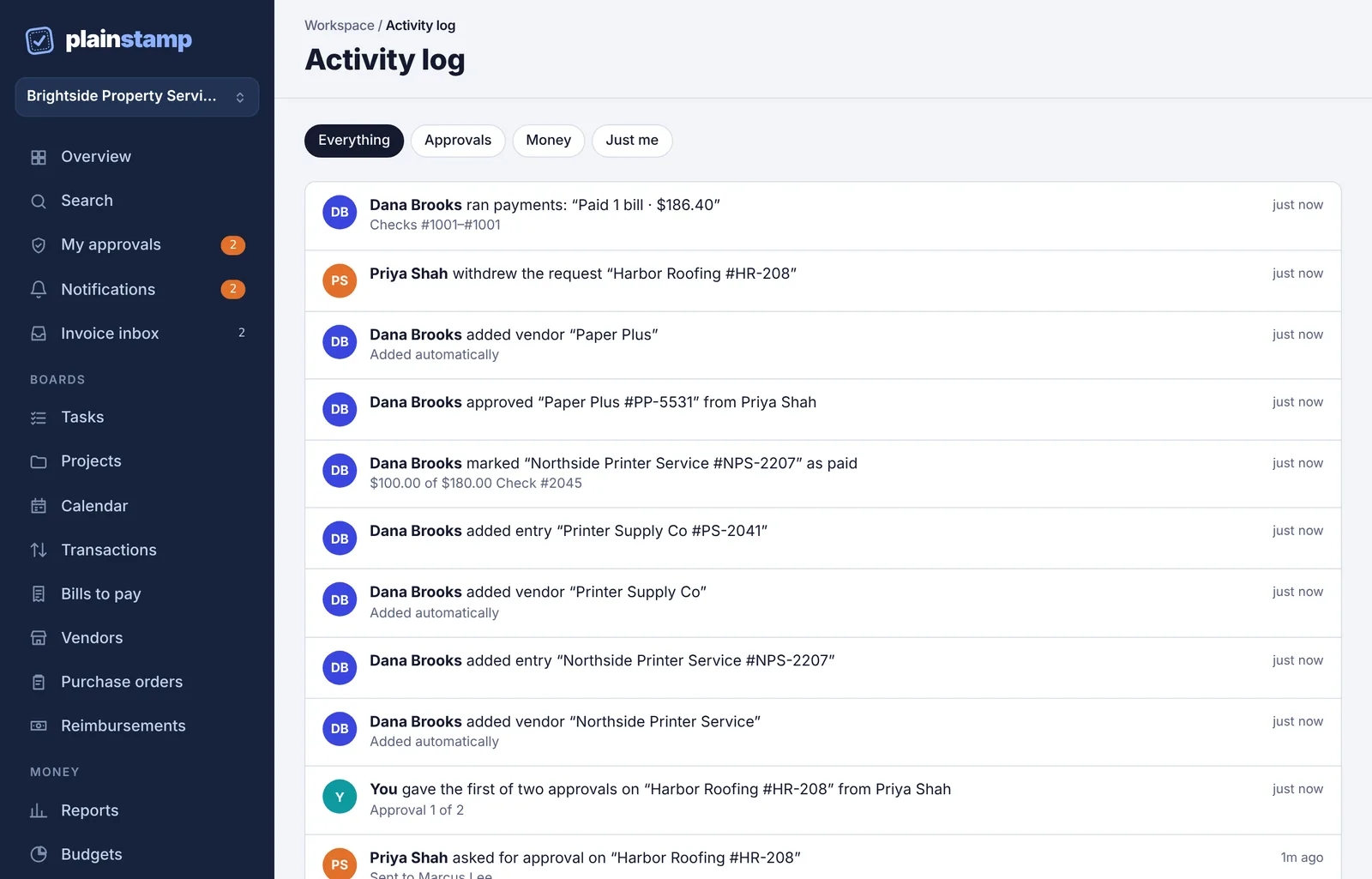
Open the Activity log#
In the menu on the left, under Records, click Activity log.
The newest events are at the top. The log shows the latest 300 events for the filter you pick.
Each line shows the person, what they did, the item's name in quotes, any detail (like "Approval 1 of 2" or "Within their spending limit"), and how long ago it happened. Your own actions say You.
Filter the log#
Click one of the buttons at the top:
Everything: all events.
Approvals: requests sent, approved, rejected, withdrawn, resubmitted, reassigned or handled by a stand-in.
Money: events about transactions and bills.
Just me: only what you did.
What gets recorded#
Some examples of what you'll find:
Tasks, transactions, bills and vendors added, edited, paid or deleted.
Requests sent for approval, and every decision on them.
Team changes: role changes, people turned off or back on, and the workspace being handed to a new owner.
Settings changes: workspace renamed, money settings changed, departments added or removed.
Who can see what#
Owners, admins, employees, accountants and view-only people see the whole log, except events about tasks in private projects they aren't part of.
Workers see only events about their own tasks and their own task requests.
Need it for one item?#
Every task, bill and transaction can be saved as an audit PDF that includes its own history, approvals, comments and files. And the owner's Download everything zip on Settings includes the full activity log as a spreadsheet.