Set up departments
Group people into departments, give each a manager who approves their requests, and tag, budget and report by department.
Departments let a bigger office split up the work. Each department has its own people and a manager. Requests from people in a department go to that manager for approval, and you can tag bills, transactions and tasks with a department, give it its own budgets, and filter reports by it.
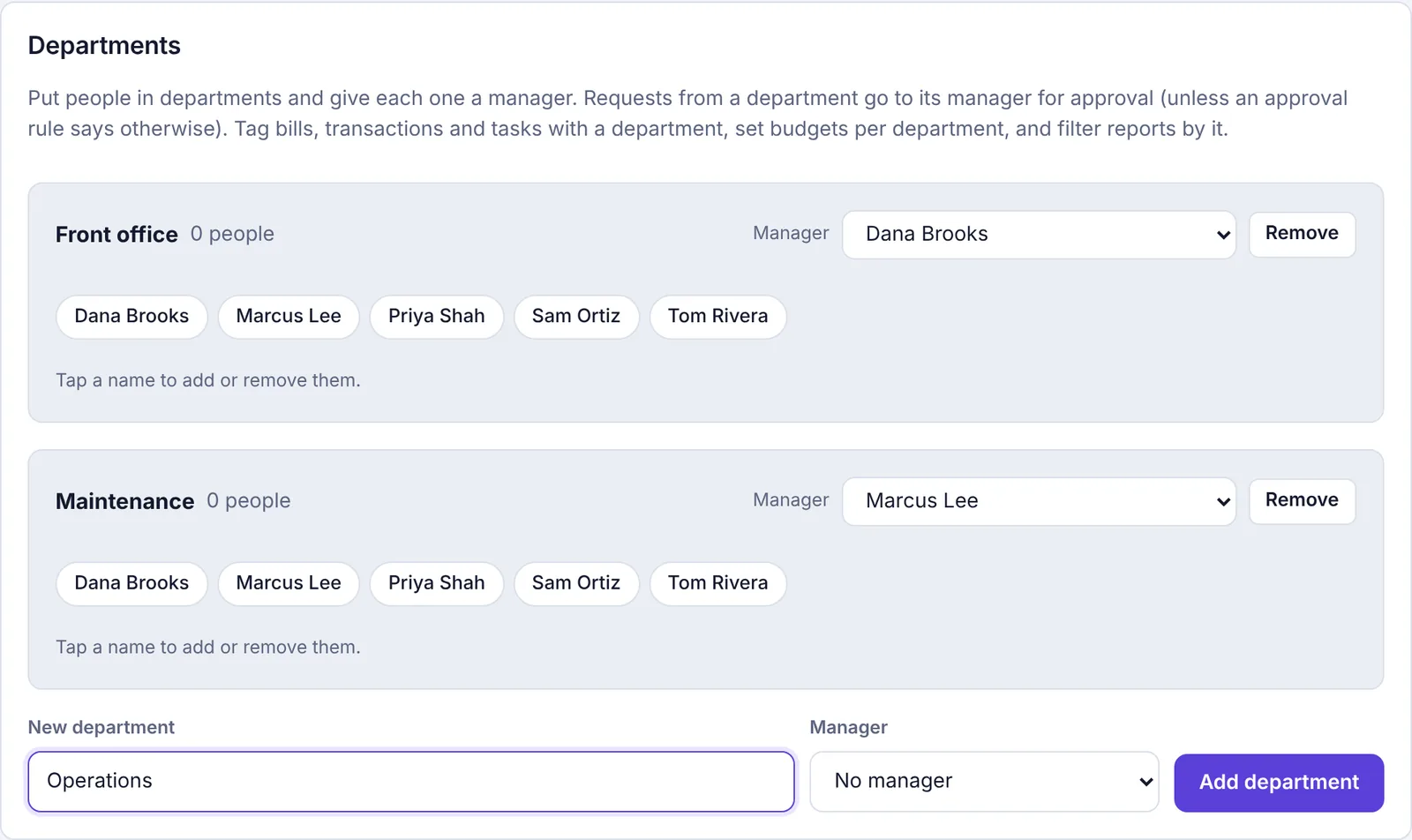
Add a department#
Go to Settings and click the Departments tab.
Under New department, type a name, like "Maintenance" or "Front office".
Pick a Manager, or leave No manager. Only owners and admins can be managers, because the manager approves the department's requests.
Click Add department.
Each department needs its own name; you'll see a message if one already uses it.
Put people in a department#
Each department shows everyone in the workspace as name buttons.
On Settings › Departments, find the department.
Tap a person's name to add them. Tap again to take them out. Names that are in the department are highlighted, and the count next to the department name updates.
Accountants aren't listed, since they don't send requests. A person can be in more than one department.
Change or remove the manager#
Use the Manager list on the department. Pick another admin, or No manager (any admin approves). It saves as soon as you pick.
If the manager stops being an admin (their role changes, or they're turned off or removed), Plainstamp sets the department to No manager (any admin approves) for you. Pick a new manager when you're ready. Making them an admin again doesn't put them back as manager.
How departments affect approvals#
When someone in a department sends something for approval and doesn't pick an approver themselves, it goes to their department's manager. It goes to any admin instead when:
the department has no manager,
the manager is the person asking (nobody approves their own request),
the manager stopped being an admin or was turned off (the department then shows No manager), or
an approval rule names a different approver.
If someone is in several departments with managers, the department that comes first alphabetically decides.
Tag entries with a department#
Once at least one department exists, a Department field appears in the form for tasks, transactions and bills. Pick one, or leave it on None. The department shows on the task or entry.
Budgets per department#
On the Budgets page, the form to add a budget gets a For list: The whole workspace or one of your departments. A department budget tracks spending in that category tagged with that department. See Budgets.
Filter reports by department#
On Reports, a Department: row of buttons appears. Click a department to see only entries tagged with it, or All for everything. Downloads follow the filter. (The 1099 report always counts everything.)
Remove a department#
Click Remove on the department.
Confirm.
Entries tagged with it keep their history, just without a department. People in it aren't affected otherwise.