Nothing happens when I tap Snap a receipt
What to do when the round camera button is missing, the camera doesn't open, or the photo doesn't fill in the form.
On a phone or tablet, owners, admins and employees see a round camera button at the bottom right of every page. Tapping it opens your camera straight away. Once you've taken the photo, New entry opens as a transaction and Plainstamp fills in the form from the photo. If you cancel the camera, no form opens.
The camera doesn't open#
The camera opens right from your tap, on iPhones as well as Android phones. If it doesn't:
Try the form's own button. Open New entry (for example New transaction on Transactions), then tap Take a photo of it near the top of the form. Take the photo and tap Use photo (the wording depends on your phone).
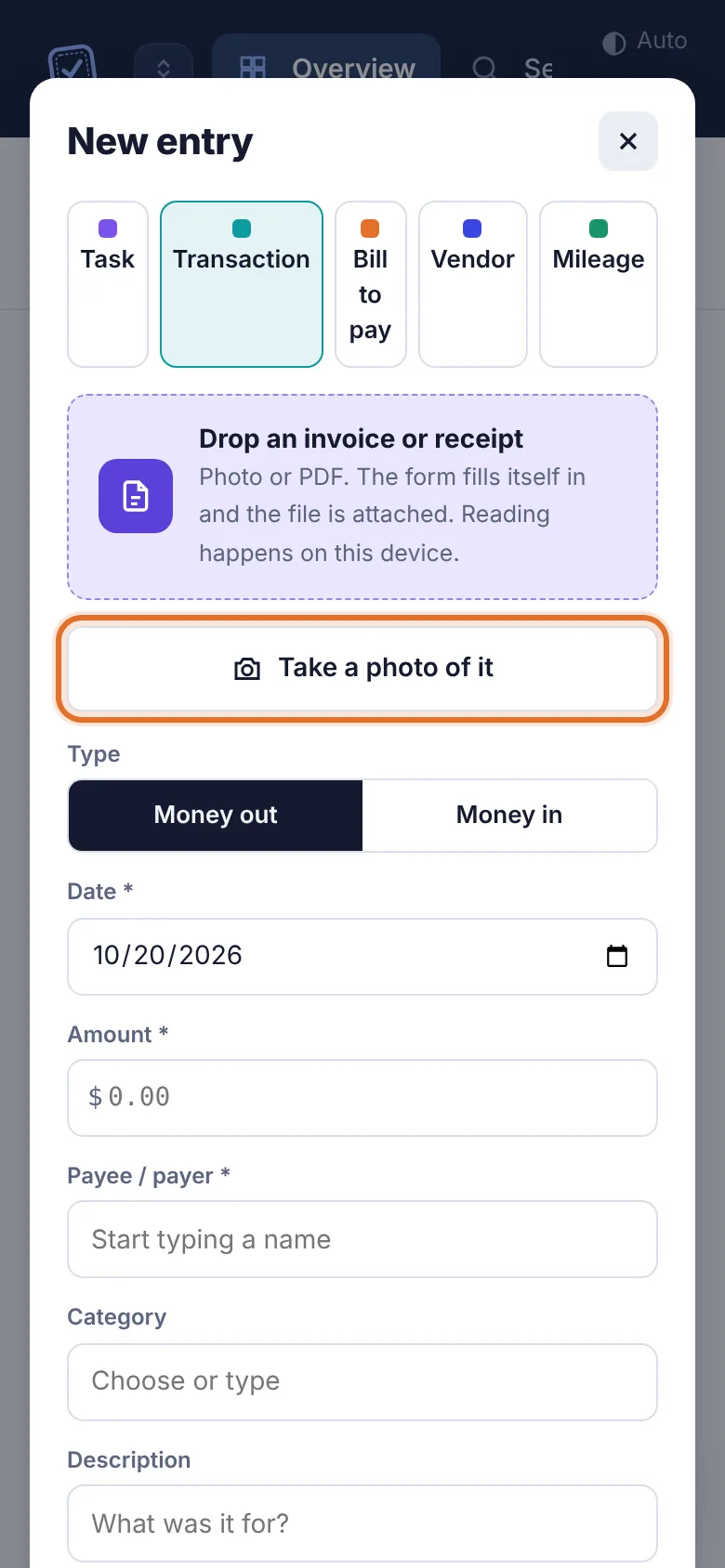
The New entry form on a phone with the Take a photo of it button highlighted. Allow the camera. Your browser may have been told not to use it. On iPhone, go to Settings › Safari › Camera and choose Ask or Allow. On Android, in Chrome tap the icon next to the address, then Permissions › Camera.
Choose a photo instead. Take the picture with your camera app, then tap the Drop an invoice or receipt box in the form and pick it from your photos.
Update your browser and try again.
There's no camera button#
It only shows on phones and tablets. On a computer, click New and drop the file onto the form instead.
Your role can't add money entries. Workers, accountants and view-only members don't get the button. See I can't see a page or button.
The workspace is paused. Nothing can be added until it's sorted out. See The workspace is paused.
The photo didn't fill in the form#
Plainstamp reads the photo on your phone and fills in what it finds. A toast message tells you what happened:
| Message | What to do |
|---|---|
| "Filled 4 fields from … Check them before saving." | It worked. Check each field, especially the amount and date. |
| "Couldn't find invoice details in that file. It's attached; fill in the fields by hand." | Retake the photo flat, in good light, with the whole receipt in frame. Or type the details in. |
| "Attached. Only photos and PDFs can be read automatically." | The file was another type. Type the details in. |
| "…you've used all … invoice reads for this month." | Your plan's monthly reads are used up. The file is still attached; type the details in, or ask the owner about upgrading. |
Each plan includes a number of automatic reads a month (Starter 20, Small 100, Team 300, Business 1,500). Typing details in yourself is always free.
See also Snap a receipt and let Plainstamp fill in the form.