Why did my emails stop?
If Plainstamp emails stopped for everyone in your workspace partway through the month, your plan's monthly email allowance is probably used up. Here's how to check and what to do.
Each plan includes a number of emails a month about your workspace's work. When they're used up, Plainstamp stops sending those emails until the 1st of the next month. Nothing else stops: everything still shows on the Notifications page, and phone notifications keep arriving.
Signs that the allowance ran out#
Several people stopped getting approval, task or morning emails at about the same time, partway through the month.
Owners and admins got a notification in Plainstamp like "This month's 100 emails are used up", saying "Plainstamp has stopped sending emails until next month. Notifications still show here."
Invites and password-reset emails still arrive (they never count toward the allowance).
If only you aren't getting emails, and others are, it's more likely your own settings or spam folder. See I'm not getting emails from Plainstamp.
Check how many emails you've used#
In the menu on the left, click Plan & billing.
Look at the Emails section. If the bar is full and red (for example "2,500 of 2,500"), the allowance is used up.
A red note underneath says how many emails weren't sent, for example "12 emails weren't sent this month because the allowance ran out. The notifications still showed in Plainstamp."
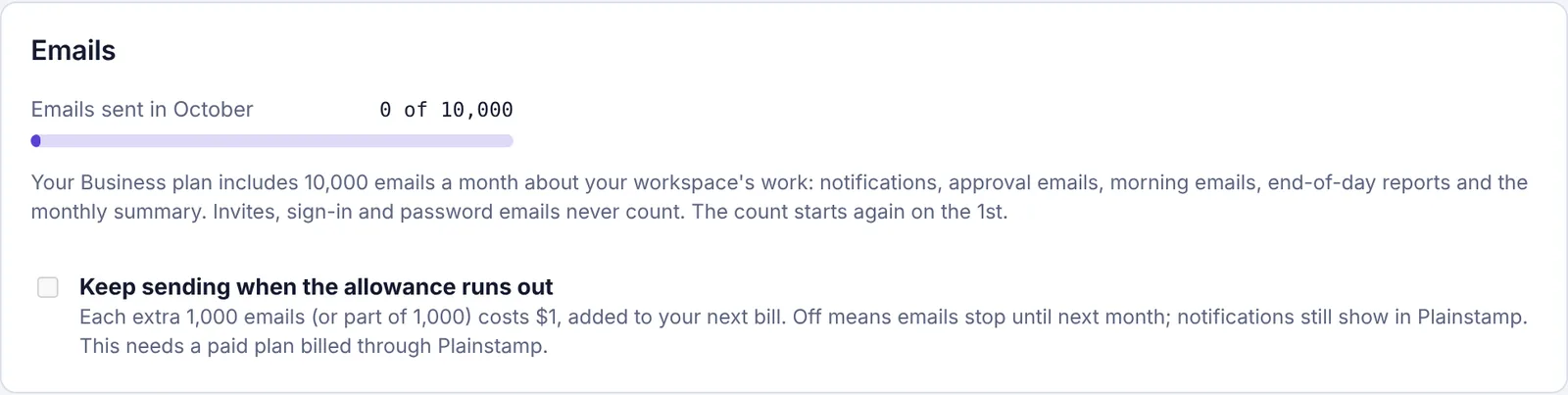
The Emails section on Plan & billing, showing this month's emails
Get emails going again#
You have three choices:
Wait for the 1st. The count starts again on the 1st of the month (at midnight UTC, which is the evening before in the US), and emails start again by themselves. Emails that were skipped aren't sent later, but everything they were about is on the Notifications page.
Turn on extra emails (Small, Team and Business plans, owner only). In the Emails section, tick Keep sending when the allowance runs out. Emails start again straight away, and each extra 1,000 emails (or part of 1,000) costs $1, added to your next bill.
Move to a bigger plan. Starter includes 100 emails a month, Small 2,500, Team 5,000 and Business 10,000. A bigger allowance applies straight away. See Choose or change your plan.
Stop it happening again#
Most emails come from new-task emails, morning emails and end-of-day reports. To use fewer:
Turn off New-task email for people who get phone notifications, in Settings › Notifications › Your team's notifications. See Set notifications for your team.
Give workers the Morning phone notification instead of the Morning email.
Make end-of-day reports cover only the people each admin needs. See Get an end-of-day report on your team.
Questions#
Were any approvals or tasks lost?
No. Only the emails were skipped. Every request, task and decision is still there, and the notifications are on the Notifications page.
Why didn't I get an email saying the emails ran out?
Because that would use another email. The notice comes as a notification in Plainstamp instead, once a month, to owners and admins.
Do invites still work?
Yes. Invites, sign-in, password and account set-up emails, Plainstamp news and support emails never count and are always sent.