I'm not getting emails from Plainstamp
Check your spam folder, your notification settings and what your admin set, so approval and task emails reach you.
Plainstamp emails you when something needs you: a request to approve, a decision on something you sent, a mention or a task given to you. There's also an optional Morning email, an email for every new task, and the Monthly summary. If they've stopped arriving, check these in order.
1. Look in spam or junk#
Search your mailbox for Plainstamp. Notification emails come from notifications@plainstamp.com. If you find them in spam, mark one as not spam and add that address to your contacts, so the rest land in your inbox.
2. Check your settings#
Click Settings, then the Notifications tab.
Under What Plainstamp tells you, make sure the switches you want are on:
Email me when something needs me: requests to approve, decisions on what you sent, mentions and assignments.
Email me for every new task: an email each time someone gives you a task. It also needs the switch above it on.
Morning email: one email at 7am with your tasks for today, anything overdue, what's waiting for your approval and bills due. It's skipped on days with nothing to report. (It used to be called the Daily digest.)
Monthly summary (owners, admins and accountants): on the 1st, money in and out, top spending and anything overdue.
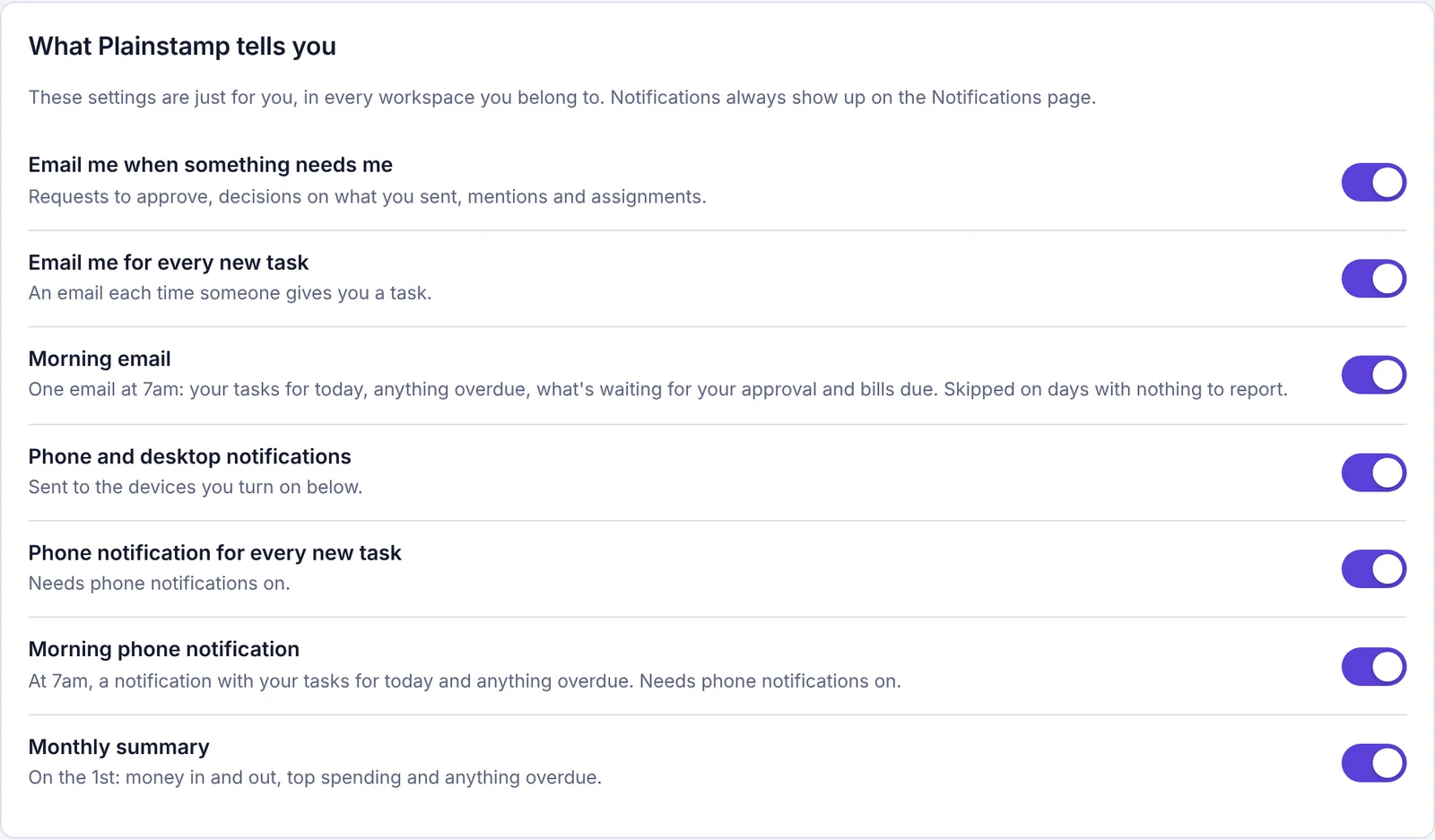
The What Plainstamp tells you settings with switches for emails, new-task emails, the morning email, phone notifications and the monthly summary.
These choices apply in every workspace you belong to.
3. Has your admin set them for you?#
Admins can choose notification settings for people in their workspace. If they have, a note at the top says "In … your admin set: …". If it says they've locked them, you can't change them yourself; ask an admin.
4. Is it something you'd be emailed about?#
You're never notified about your own actions.
If a request went to Any admin, every admin gets the email; once someone decides it, there's nothing more to send.
The Monthly summary only goes out if an admin has ticked Email a summary of last month on the 1st in Settings › General.
5. Has your workspace used up its emails?#
Each plan includes a number of emails a month. When they're used up, Plainstamp stops sending emails about the workspace's work until the 1st, for everyone in the workspace. If other people stopped getting emails at the same time as you, this is the likely reason. See Why did my emails stop?
6. Is your email address right?#
You're emailed at the address you sign in with. It's shown at the top of Settings › General ("Signed in as …").
Still nothing?#
Everything Plainstamp emails you about is also on the Notifications page, so nothing is lost. If emails still don't arrive after checking all of the above, email support@plainstamp.com.
See also Choose which emails and notifications you get and How many emails your plan includes.