How many emails your plan includes
Each plan includes a number of emails a month about your workspace's work. What counts, what doesn't, what happens when they run out, and how to keep emails going.
Every plan includes a number of emails each month about your workspace's work, like approval emails, task emails and morning emails. You can see how many you've used on the Plan & billing page.
How many emails each plan includes#
| Plan | Emails a month |
|---|---|
| Starter | 100 |
| Small | 2,500 |
| Team | 5,000 |
| Business | 10,000 |
Each email to each person counts as one. For example, a request that's emailed to three admins uses three.
The count starts again on the 1st of each month. The new month starts at midnight UTC (London winter time), so in the US the count resets during the evening of the last day of the month.
What counts and what doesn't#
These count:
Notification emails: requests to approve, decisions, mentions, tasks given to someone, reminders and alerts
New-task emails
Morning emails
End-of-day reports
The monthly summary email
These never count:
Invites to join your workspace
Sign-in, password and account set-up emails
News and tips from Plainstamp
Emails from Plainstamp support
Notifications on the Notifications page and phone notifications never count either. Only emails do.
See how many you've used#
In the menu on the left, click Plan & billing.
Look at the Emails section. The bar shows how many emails have gone out this month out of your plan's allowance, for example "0 of 10,000". It turns orange when you're getting close and red when it's used up.
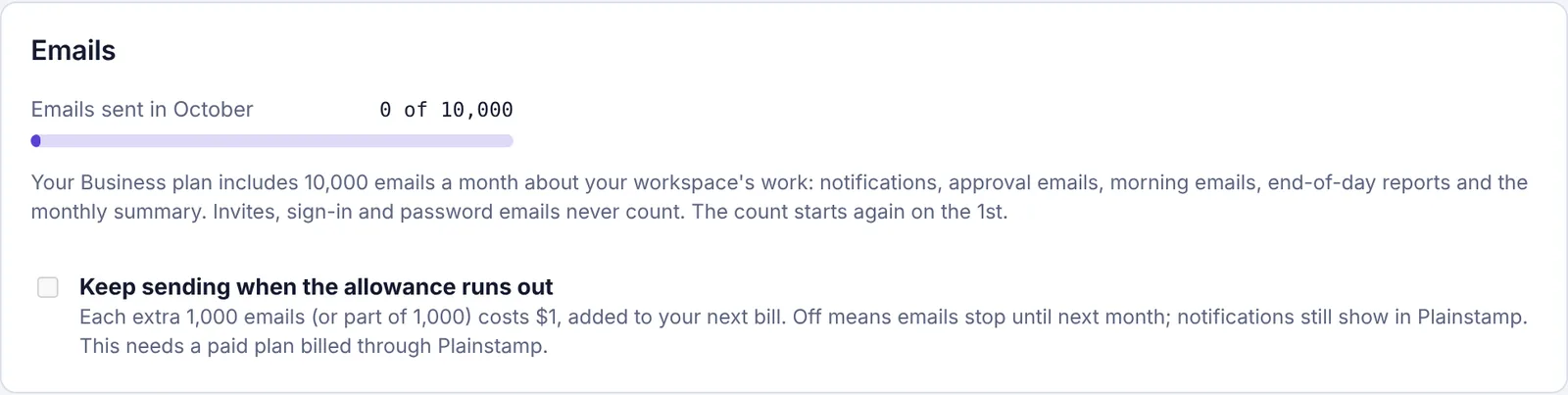
The Emails section of Plan & billing: the emails sent this month and the Keep sending when the allowance runs out box
If any emails couldn't be sent this month, a red note says how many, for example "12 emails weren't sent this month because the allowance ran out. The notifications still showed in Plainstamp."
What happens when the emails run out#
Emails stop until the 1st. Plainstamp doesn't send any more emails about your workspace's work for the rest of the month.
Nothing else stops. Every notification still shows on the Notifications page, phone notifications still arrive, and approvals, tasks and bills all work as normal.
Owners and admins are told once. You get one notification in Plainstamp (not by email), for example "This month's 2,500 emails are used up". Click it to go to the Emails section of Plan & billing.
Invites and sign-in emails keep working, because they never count.
If one email was going to several people and only some of the allowance was left, the first people on the list get it and the rest don't.
Keep emails going with extra emails#
On the Small, Team and Business plans, the owner can choose to keep emails going after the allowance runs out.
Sign in as the workspace owner and click Plan & billing.
In the Emails section, tick Keep sending when the allowance runs out.
You'll see "Extra emails are on." Untick it to turn them off again ("Extra emails are off.").
With extra emails on:
Emails never stop because of the allowance.
Each extra 1,000 emails (or part of 1,000) costs $1, added to your next bill. For example, 1,200 emails over the allowance in a month is $2.
The charge for a month's extra emails is added on the 1st of the next month, and shows on your next invoice as "Extra emails in month".
If you're an admin but not the owner, the box is greyed out and says "Only the workspace owner can change this." If your paid plan isn't billed through Plainstamp (for example, a plan Plainstamp gave you for free), it says "This needs a paid plan billed through Plainstamp."
Using fewer emails#
If you often run out, these help without anyone missing anything important:
Turn off new-task emails for people who already get phone notifications. As an admin you can do it for everyone at once in Your team's notifications; see Set notifications for your team.
Use the morning phone notification instead of the morning email for workers.
Trim end-of-day reports to the people each admin really needs. See Get an end-of-day report on your team.
Move to a bigger plan. See Choose or change your plan.