Turn on two-step sign-in
Protect your account with a 6-digit code from an authenticator app on your phone, and how signing in works once it's on.
With two-step sign-in, you enter a 6-digit code from an app on your phone as well as your password. Even if someone learns your password, they can't get into your books.
Before you start#
Install an authenticator app on your phone. Google Authenticator, Microsoft Authenticator, 1Password or Authy all work.
Turn it on#
In the menu on the left, click Settings.
Click the Sign-in & security tab.
Under Two-step sign-in, click Set up two-step sign-in.
A QR code appears. In your authenticator app, add an account and scan the QR code.
Can't scan it? Type the key shown under Can't scan? Enter this key in the app instead into the app.
Your app now shows a 6-digit code for Plainstamp. Type it into 6-digit code.
Click Turn on two-step sign-in.
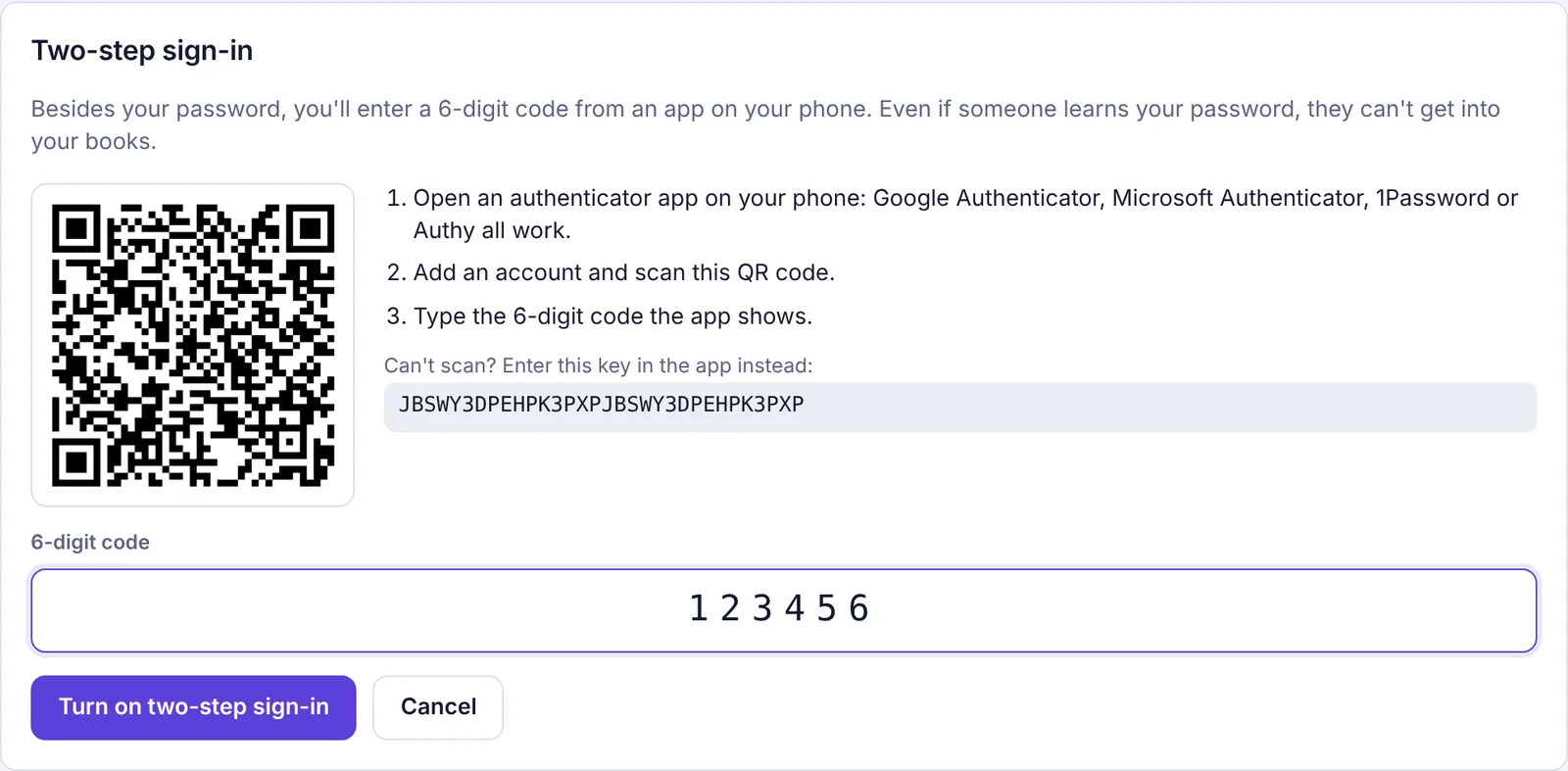
Setting up two-step sign-in: the QR code, the key and the 6-digit code
You see "Two-step sign-in is on." The panel now shows On for your account.
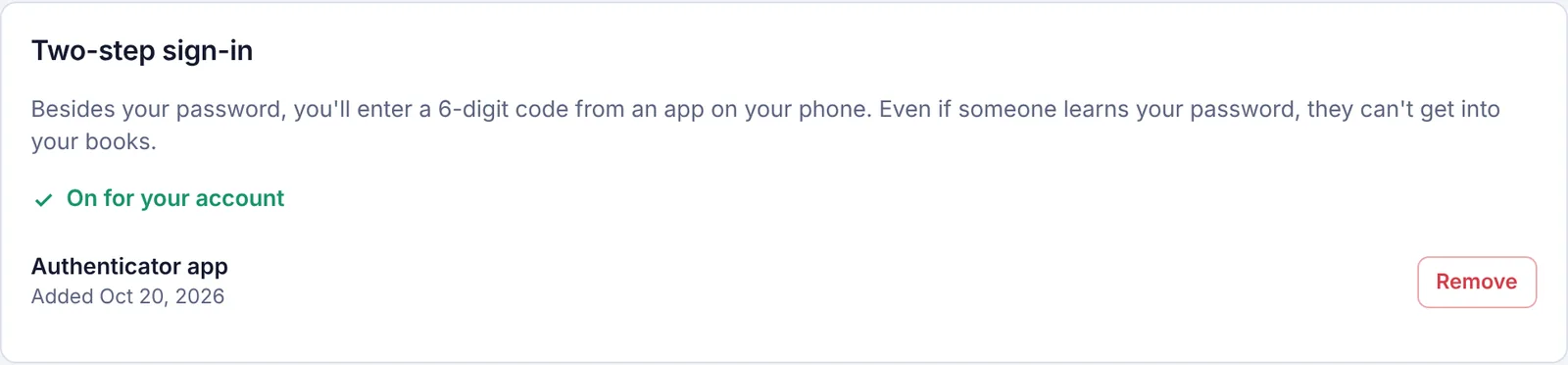
Signing in with two-step sign-in#
Sign in with your email and password as usual (or with Google or Microsoft).
Plainstamp asks for a code. Open your authenticator app and type the 6-digit code for Plainstamp.
Click Continue.
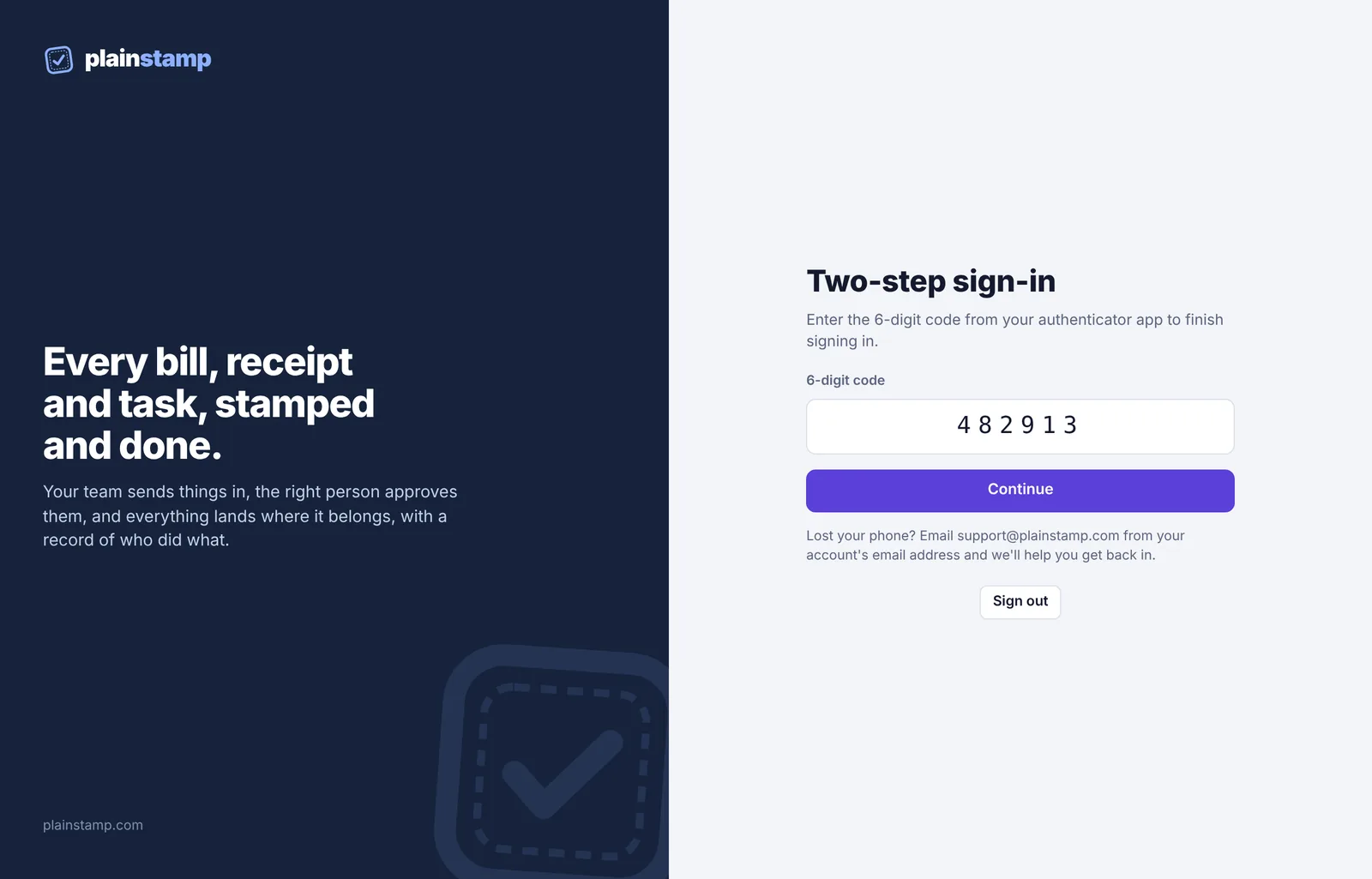
Plainstamp asks for a code every time you sign in on a new device or after signing out. Until you enter it, you can't open your workspace. If you're stuck on this page, click Sign out at the bottom to go back to the sign-in page.
Can't get a code because you lost your phone? The page tells you what to do: "Lost your phone? Email support@plainstamp.com from your account's email address and we'll help you get back in."
Turn it off#
Go to Settings > Sign-in & security.
Next to Authenticator app, click Remove.
Type a current code from your app into To remove it, enter a code from the app.
Click Remove two-step sign-in. You see "Two-step sign-in is off for your account."
If your workspace owner requires two-step sign-in for everyone, you can't remove your last authenticator app. You'll see a message saying so.
Got a new phone, or lost yours?#
See Lost your phone? Getting back in with two-step sign-in.