Cancel your paid plan
How to cancel, what happens to your workspace afterwards, and how to undo it.
You can cancel a paid plan at any time. Your workspace keeps the paid plan until the end of the time you've already paid for, then moves to the free Starter plan. Nothing is deleted.
Cancel#
In the menu on the left, click Plan & billing.
Click Cards, invoices and cancelling (or Downgrade to free under Starter). Both open Stripe's billing page.
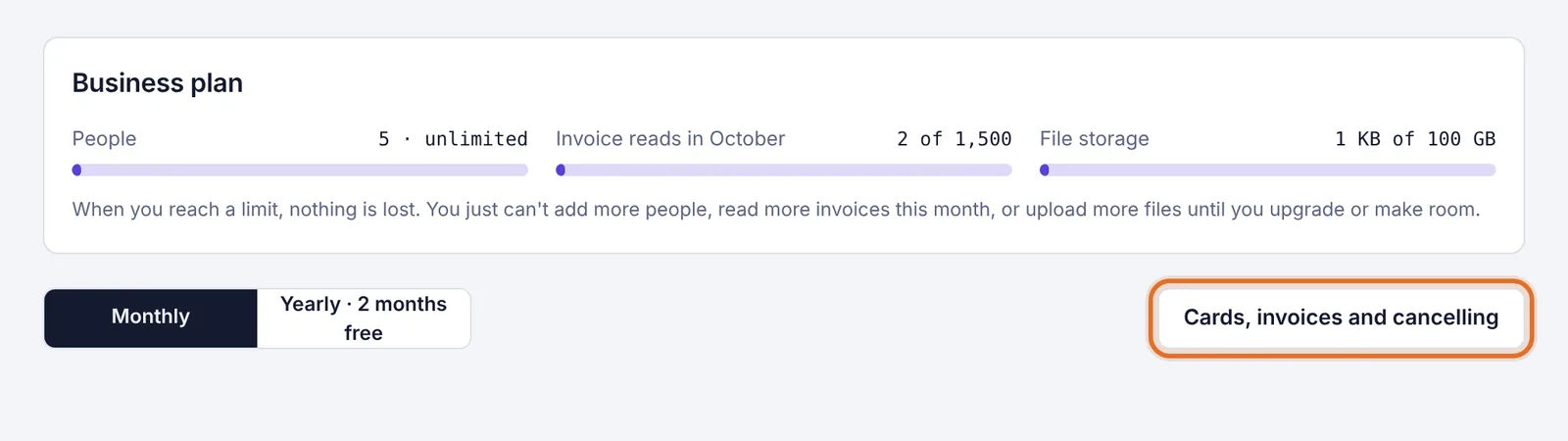
The Cards, invoices and cancelling button on the Plan & billing page On Stripe's page, choose to cancel your plan and confirm.
Use the link on Stripe's page to go back to Plainstamp.
The Plan & billing page now says "Your plan is set to end on" followed by the date. After that, the workspace moves to the free Starter plan. Until then, the button under your plan says Keep my plan instead of Current plan.
What happens when the plan ends#
Everyone keeps their access and everything stays in the workspace.
Features that need a paid plan are locked until you upgrade again.
Starter's limits apply: up to 3 people, 20 invoice reads a month, 1 GB of files and 100 emails a month. Extra emails stop working, because they need a paid plan. See What happens when you reach a limit or downgrade.
Changed your mind?#
Before the end date, you can undo the cancellation in Plainstamp:
In the menu on the left, click Plan & billing.
Click Keep my plan. It's in the "Your plan is set to end on …" message at the top, and under your plan (marked Your plan).
You see "Your plan will keep renewing. Nothing else changes." The end-date message goes away, the page shows the renewal date again, and you're charged as usual at the next renewal. Nothing is charged right away.
Choosing a different plan or billing period on the Plan & billing page also keeps your subscription going and clears the end date. You can also renew on Stripe's page under Cards, invoices and cancelling.
After the end date, simply choose a plan again, the same as the first time. See Choose or change your plan.
Want to delete everything instead?#
Cancelling keeps your workspace on the free plan. If you want your account and workspace gone for good, see Delete your account. Deleting your account also cancels the paid plan on any workspace you're alone in.