Delete your account
Delete your Plainstamp account for good, and what happens to workspaces you own and the work you did in shared ones.
You can delete your Plainstamp account yourself. It removes your sign-in and your name for good, and it can't be undone.
Before you delete#
Own a workspace other people use? Make another admin the owner first, so your team keeps their office. See Hand over the workspace. Until you do, deleting stops with a message telling you which workspace to hand over.
Want a copy of your data? If you're the owner, download it first. Once a workspace is deleted, it can't be brought back. See Download your data, and your privacy.
Just want to stop paying? You don't need to delete anything. See Cancel your paid plan.
Just want to leave one workspace? See Sign out, or sign out on every device.
Delete your account#
In the menu on the left, click Settings, then the Sign-in & security tab.
Scroll down to Delete my account and click Delete my account…
Type your email address exactly as shown, to confirm.
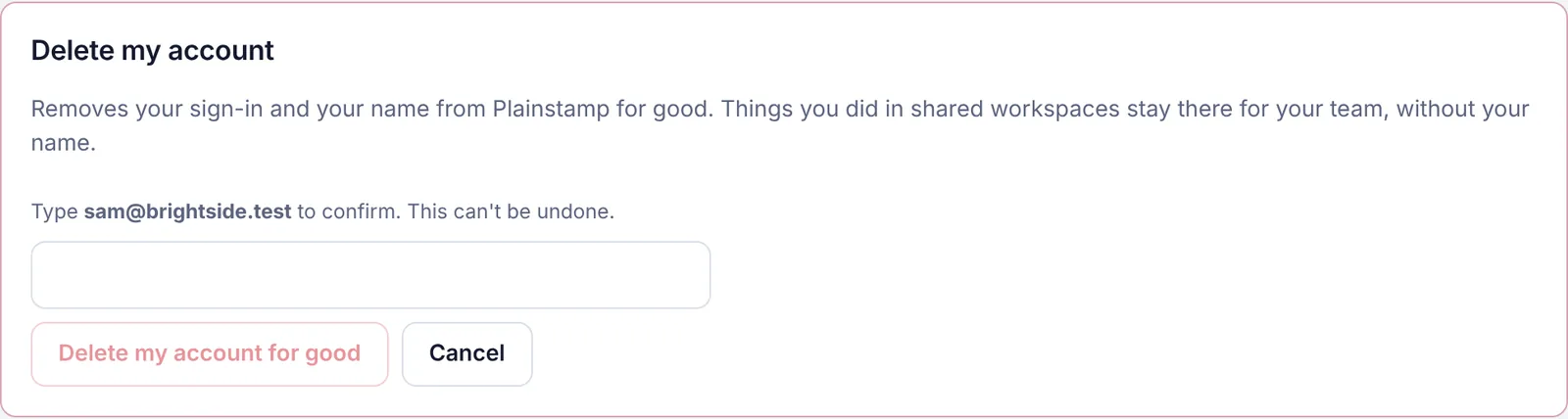
Delete my account, asking you to type your email to confirm Click Delete my account for good.
You're signed out and taken to the sign-in page.
What's deleted, and what stays#
Deleted:
Your sign-in, your name and email, your notification settings and your phone notification addresses.
Any workspace where you're the only person, with everything in it: tasks, bills, transactions, vendors, files and photos. A paid plan on it is cancelled first.
Stays:
Work you did in a workspace other people still use (tasks, comments, files you added) stays there for your team, without your name on it.
Billing records Plainstamp has to keep for tax purposes, for as long as the law requires.
If a paid plan can't be cancelled, nothing is deleted and you see a message asking you to try again or email hello@plainstamp.com.
Can't sign in?#
Email hello@plainstamp.com from the address on your account with the subject "Delete my account". We'll confirm it's you and delete it within 30 days, usually much sooner.