Your payment didn't go through, or your workspace is paused
What the red payment banner means, the reminder emails, why a workspace gets paused, and how to fix it.
If a payment for your plan doesn't go through, Plainstamp lets you know and gives you time to fix it. If it stays unpaid, the workspace is paused: everyone can still look at everything, but nothing can be added or changed until it's paid. Nothing is deleted.
"Your last payment didn't go through"#
When a payment fails, the owner sees this on the Plan & billing page:
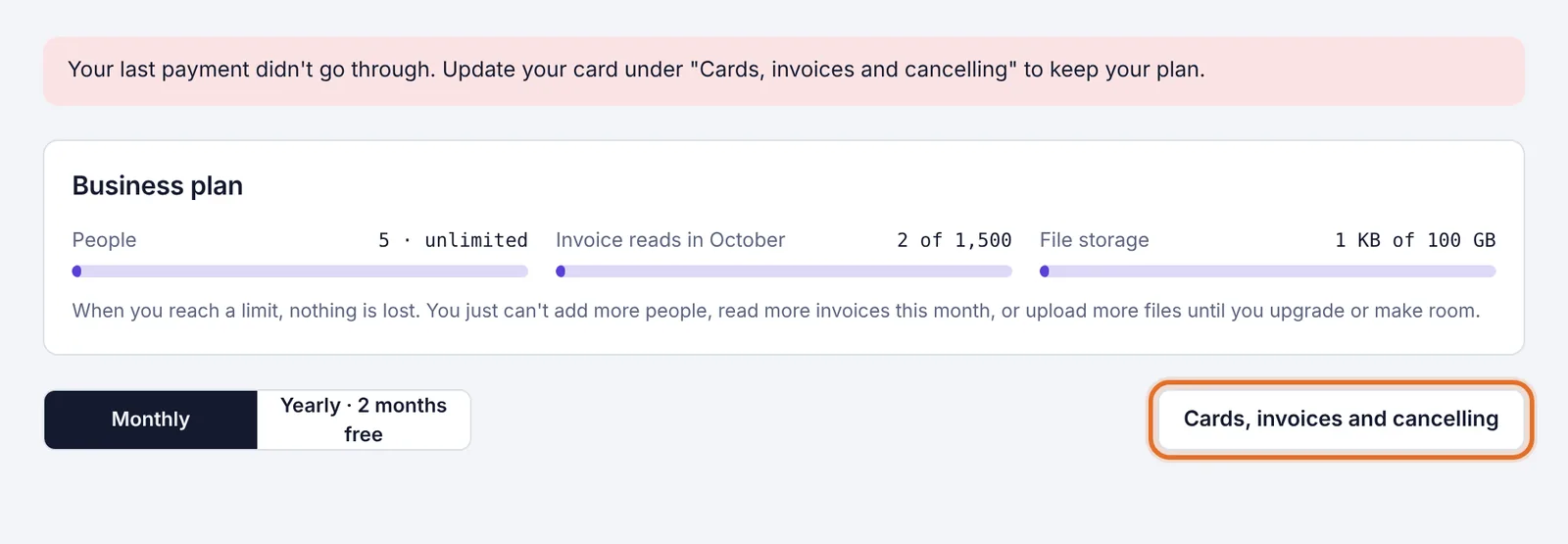
It's usually an expired or replaced card. To fix it:
In the menu on the left, click Plan & billing.
Click Cards, invoices and cancelling.
On Stripe's page, add your new card and pay the open invoice.
Your plan and everything in the workspace keep working normally while you sort it out.
Reminder emails#
The owner gets an email titled "Your Plainstamp payment didn't go through" with a link to pay or update the card. More reminders follow over the next couple of weeks while the invoice is unpaid. A few days before the workspace would be paused, a last email titled "Final notice: your Plainstamp workspace will be paused" is sent.
If you've already paid, you can ignore these. Reply to any of them if something's wrong.
When a workspace is paused#
If an invoice stays unpaid for about three weeks, the workspace is paused. Everyone in it sees this banner at the top of every page:

While a workspace is paused:
Everyone can still sign in, look at everything and download files and reports.
Nobody can add, change or approve anything.
The owner sees a Go to billing button. Everyone sees Contact support.
Lift the pause#
The owner clicks Go to billing on the banner (or opens Plan & billing).
Click Cards, invoices and cancelling.
Pay the unpaid invoice, with a new card if needed.
Paying lifts the pause right away. Everything is just as you left it.
Paused for another reason#
The banner always says why the workspace is paused. If it's not about a payment, or it just says "Please contact Plainstamp support," click Contact support or email support@plainstamp.com.